Screen Reader Compatible Flipbooks: What Publishers Need to Get Right in 2026
Screen reader compatibility in flipbooks depends on two layers - your source content and your publishing platform. Here is what publishers need to get right in 2026 to meet WCAG 2.2 and ADA requirements.
Written By: Jagadish C U (Founder Of Zentrovia Solutions)
Building Screen Reader Compatible Flipbooks for WCAG 2.2 Compliance in 2026
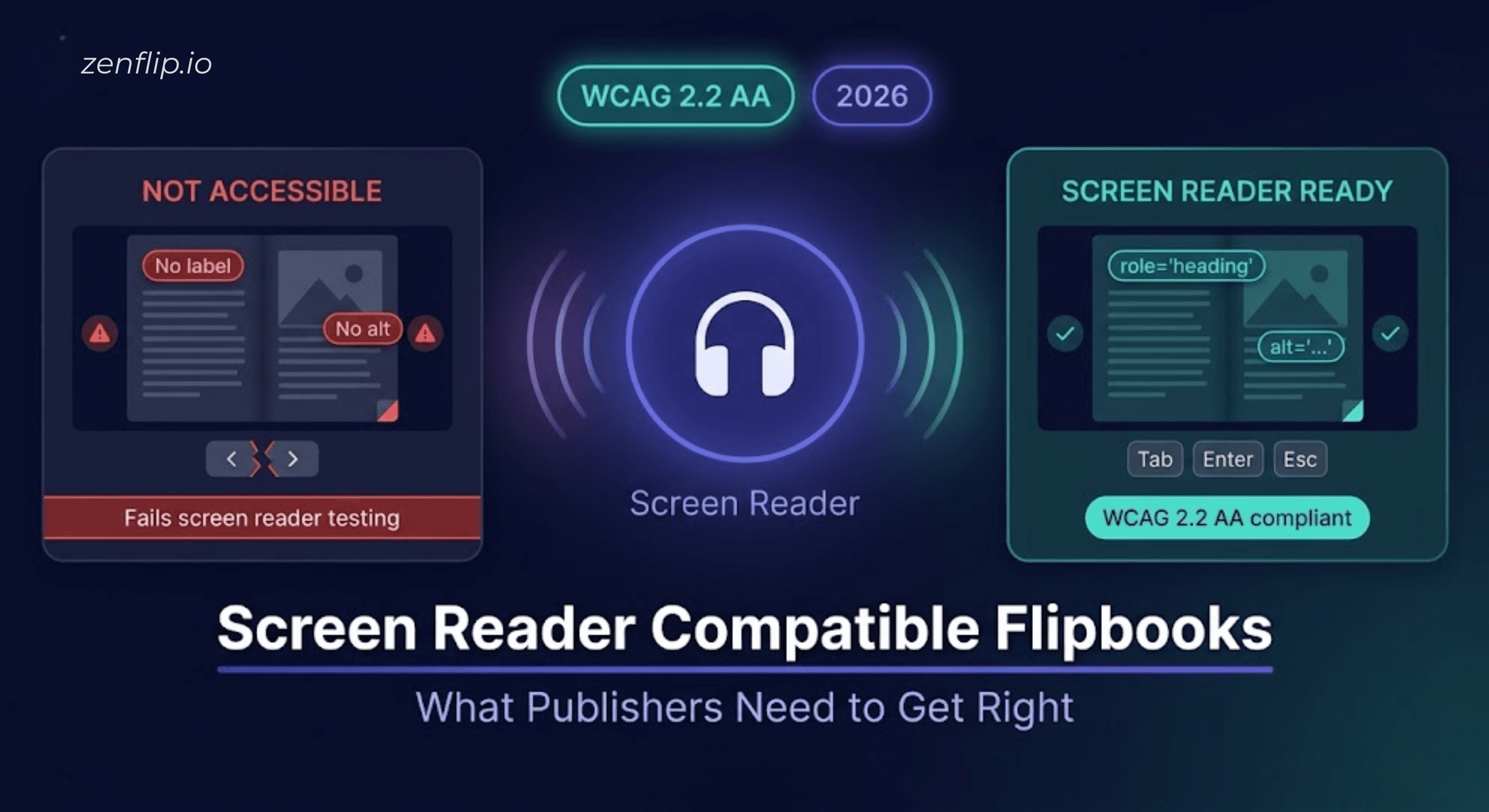
Publishing a flipbook does not automatically make it accessible. Most flipbook platforms render your PDF as a visual experience - page turns, images, typography. But for the millions of people who use screen readers to navigate digital content, that visual experience is entirely invisible unless the right technical foundations are in place.
Screen reader compatible flipbooks require two things working together: an accessible viewer and accessible source content. Get both right, and your publication is usable by anyone. Get one wrong, and readers using assistive technology will hit a wall.
This guide breaks down exactly what is required, what has changed with WCAG 2.2 compliance in 2026, and how ZenFlip approaches screen reader navigation for digital brochures and publications from the ground up.
Why Screen Reader Compatibility Matters More in 2026
Accessibility requirements have become more specific and more enforceable in recent years. In the United States, ADA Title II digital accessibility rules now require state and local government entities to meet WCAG 2.1 AA as a minimum standard, with enforcement active for larger entities from April 26, 2027. Section 508 compliance in 2026 continues to apply to federal agencies and their contractors. In the European Union, the European Accessibility Act came into effect in June 2025, requiring accessible digital products and services across member states.
For publishers producing government reports, public-facing catalogues, educational materials, or any content that needs to reach a broad audience, inclusive publishing standards are no longer optional. They are a baseline expectation. Read: ADA Title II Deadline Extension - Your WCAG Guide to Interactive Accessibility in 2027
What Makes a Flipbook Inaccessible to Screen Readers
Most accessibility problems in flipbooks trace back to the same root causes.
The Problem with Standard PDF to Flipbook Conversion
When a PDF is converted into a flipbook without accessibility in mind, several things can go wrong. The text layer may not be preserved, meaning screen readers receive no content to read at all. Interactive elements such as page navigation buttons, table of contents links, and search controls may have no ARIA labels - leaving users of assistive technology unable to understand what each control does or how to use it. Images throughout the publication may have no alt text for digital publications, making charts, infographics, and photographs completely silent to a screen reader.
Accessible PDF to flipbook conversion is not just about preserving the visual layout. It requires maintaining the document's semantic structure, exposing it to the browser's accessibility tree, and layering in the correct ARIA attributes so that screen readers can interpret both the content and the interface.
What Screen Reader Compatible Flipbooks Actually Need
ARIA Labels and Semantic Navigation
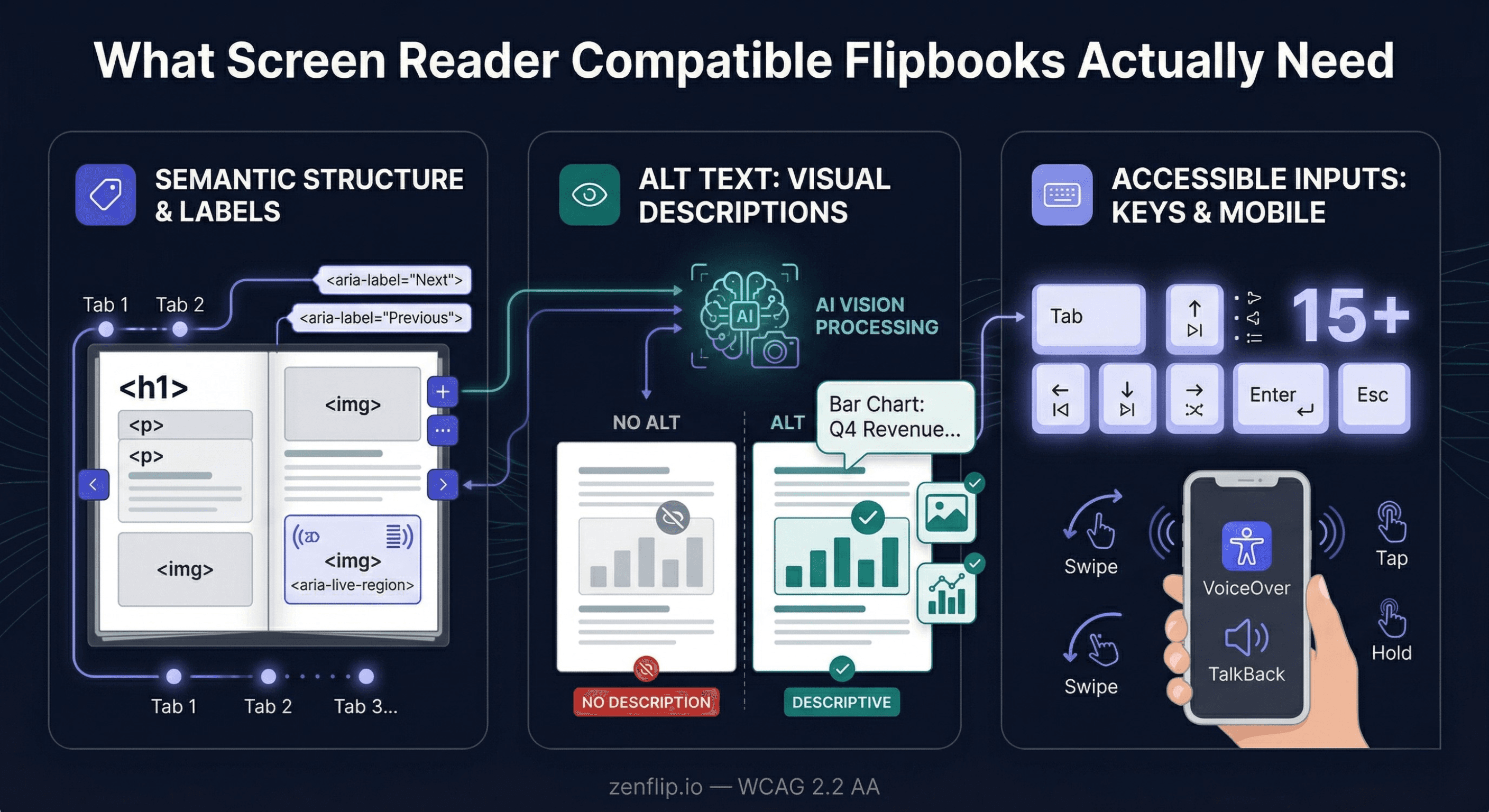
ARIA labels for interactive flipbooks are the foundation of screen reader navigation for digital brochures. Every button, every navigation control, and every interactive element needs a descriptive label that a screen reader can announce. Without these, a user pressing Tab to navigate the viewer will encounter buttons with no context - no indication of whether they are turning a page, opening a search panel, or entering fullscreen mode.
ARIA live regions are equally important. When a page changes in a flipbook, a screen reader needs to be notified that new content has loaded. Without a live region announcement, the user has no way of knowing that anything has happened after they triggered a page turn.
Logical tab order matters too. Screen reader navigation for digital brochures should follow a predictable sequence - from the viewer controls to the page content and back - without trapping keyboard focus inside any component.
Read: ARIA Live Regions in Flipbooks: Making Accessible Dynamic Content Work for WCAG
Alt Text for Every Meaningful Image
Alt-text for digital publications is one of the most direct ways to make visual content accessible. A bar chart, product photograph, or infographic with no alternative text is simply absent from the experience for a screen reader user.
The challenge for publishers is scale. A digital brochure or catalogue can contain dozens of images, and writing meaningful alt text for each one manually is time-consuming. ZenFlip addresses this through AI Vision Processing, which analyses images in your publication and generates descriptive alt text automatically. You can run it in Smart Mode - which targets only images that do not already have alt text - or in All Pages Mode, which processes every image in the publication. Both options make it significantly easier to achieve assistive technology compatibility without a manual review of every asset.
Keyboard Navigation and Mobile-Optimised Accessibility
Full keyboard navigation is a requirement under WCAG 2.2. Users who cannot use a mouse - whether due to motor impairments or preference - need to be able to access every function through keyboard input alone. ZenFlip's viewer includes over 15 keyboard shortcuts covering page navigation, zoom, fullscreen, and viewer controls, with a logical tab sequence throughout.
Mobile-optimised accessibility matters just as much. Screen reader users on mobile rely on touch gestures and their device's built-in screen reader - VoiceOver on iOS, TalkBack on Android. A flipbook viewer that is not built with mobile accessibility in mind will fail this audience entirely.
WCAG 2.2 Compliance and What It Means for Publishers
WCAG 2.2, published in October 2023, is the current standard. It is organised around four principles - perceivable, operable, understandable, and robust. For publishers, the most practically relevant requirements are:
Text alternatives for all meaningful images (perceivable)
Full keyboard navigation with no traps (operable)
Consistent, predictable navigation patterns (understandable)
Valid markup and correct use of ARIA attributes so that assistive technology can interpret the interface (robust)
watch: How to Make Your PDF Flipbooks Accessible | ZenFlip Tutorial
Choosing the Best Flipbook Software 2026 for Screen Reader Compliance

When evaluating the best flipbook software 2026 for screen reader compatibility, the core question is whether accessibility is built into the platform architecture or layered on as an optional setting. A platform that requires manual configuration to activate ARIA labels, keyboard navigation, or text-to-speech creates inconsistency across publications - each new upload becomes a new compliance risk. ZenFlip is built so that every publication is screen reader compatible by default. WCAG 2.2 AA compliance, ARIA live regions, semantic markup, 15 or more keyboard shortcuts, and skip links are active in every flipbook without any publisher configuration. For production teams managing high-volume publishing workflows, this removes manual per-publication accessibility setup from the process entirely.
Embed Flipbook on Website
Every ZenFlip publication comes with iframe embed code, allowing publishers to embed their flipbook directly on any website, intranet, or digital platform. This is particularly relevant for publishers using interactive annual report software workflows, where reports need to live on investor relations pages and microsites rather than being distributed as file downloads. An embedded flipbook retains the full ZenFlip reader experience - screen reader support, keyboard navigation, text-to-speech, and ImmersiveReader - inside the publisher's own web environment.
Flipbook Analytics and Flipbook Statistics
ZenFlip's Creator plan ($15 per month) includes 30-day analytics, and the Business plan ($39 per month) includes heatmap analytics showing which pages and sections readers engage with most. These flipbook statistics provide real behavioral data on publication performance, moving accessibility reporting from assumption to evidence. Publishers tracking reader engagement across accessible publications can use this data to refine content structure and prioritize remediation efforts where engagement data shows the highest drop-off.
Flipbook No Startup Fee
ZenFlip's free plan supports up to five publications with up to 30 pages each, with no credit card required. There is no startup fee and no configuration required to access WCAG 2.2 AA compliance - it is included from the first publication on the free plan. Publishers beginning an accessibility audit and remediation process can have their first compliant flipbooks live without any financial commitment.
visit: zenflip.io
watch: ZenFlip: The Complete Guide
Explore More on ZenFlip

Looking for more insights on digital publishing, accessibility, sports, technology and more? The ZenFlip Library has you covered. Browse our full collection of free interactive magazines.
Every topic. One place. Read free at ZenFlip | Library
Frequently Asked Questions:
Why does publishing a flipbook not automatically make it accessible?
Most flipbook platforms render your PDF as a visual experience - page turns, images, typography. For the millions of people who use screen readers to navigate digital content, that visual experience is entirely invisible unless the right technical foundations are in place. Screen reader compatible flipbooks require two things working together: an accessible viewer and accessible source content.
What goes wrong when a PDF is converted to a flipbook without accessibility in mind?
The text layer may not be preserved, meaning screen readers receive no content to read at all. Interactive elements such as page navigation buttons and table of contents links may have no ARIA labels, leaving assistive technology users unable to understand what each control does. Images throughout the publication may have no alt text, making charts, infographics, and photographs completely silent to a screen reader.
Why are ARIA labels essential for screen reader compatible flipbooks?
Every button, navigation control, and interactive element needs a descriptive label that a screen reader can announce. Without these, a user pressing Tab to navigate the viewer will encounter buttons with no context — no indication of whether they are turning a page, opening a search panel, or entering fullscreen mode. ARIA live regions are equally important so that when a page changes, the screen reader is notified that new content has loaded.
Why is alt text important for digital publications and how does ZenFlip help?
A bar chart, product photograph, or infographic with no alternative text is simply absent from the experience for a screen reader user. ZenFlip addresses this through AI Vision Processing, which analyses images in your publication and generates descriptive alt text automatically. It can run in Smart Mode — targeting only images without existing alt text — or in All Pages Mode, which processes every image in the publication.
What keyboard navigation does ZenFlip provide?
Full keyboard navigation is a requirement under WCAG 2.2, as users who cannot use a mouse need to access every function through keyboard input alone. ZenFlip's viewer includes over 15 keyboard shortcuts covering page navigation, zoom, fullscreen, and viewer controls, with a logical tab sequence throughout. Mobile-optimised accessibility also matters, as screen reader users on mobile rely on VoiceOver on iOS and TalkBack on Android.
What are the four WCAG 2.2 principles most relevant to publishers?
Publishers must provide text alternatives for all meaningful images under the perceivable principle, and full keyboard navigation with no traps under the operable principle. Navigation must be consistent and predictable under the understandable principle. Valid markup and correct use of ARIA attributes so that assistive technology can interpret the interface is required under the robust principle.
What is required for accessible PDF to flipbook conversion?
Accessible PDF to flipbook conversion is not just about preserving the visual layout. It requires maintaining the document's semantic structure, exposing it to the browser's accessibility tree, and layering in the correct ARIA attributes so that screen readers can interpret both the content and the interface. Without this, even a visually polished flipbook will be inaccessible to screen reader users.
Related Resources
WCAG 2.2 Specification - w3.org/TR/WCAG22
ZenFlip Accessibility Guide - zenflip.io/guides/accessible-digital-publication
ZenFlip Accessibility Statement - zenflip.io/legal/accessibility
Section 508 Standards - section508.gov
Turn your next PDF into a flipbook — free
No credit card, no watermarks, no time limits. 5 publications on the free plan — ready in under 2 minutes.