Keyboard Navigation for Digital Publications: A 2026 Guide to WCAG Compliance
A technical deep dive into keyboard navigation for digital publications. Learn about focus order, WCAG 2.2 compliance, and ZenFlip’s accessible navigation features.
Written By: Jagadish C U (Founder Of Zentrovia Solutions)
Keyboard Navigation: An Important Part of Modern Inclusive Publishing
In the landscape of inclusive digital publishing, how a user moves through a document is just as important as the content itself. For users with motor disabilities or those who rely on assistive technology, keyboard navigation for digital publications is the only way to interact with your work.
The Foundation: Focus Order and Sequential Navigation
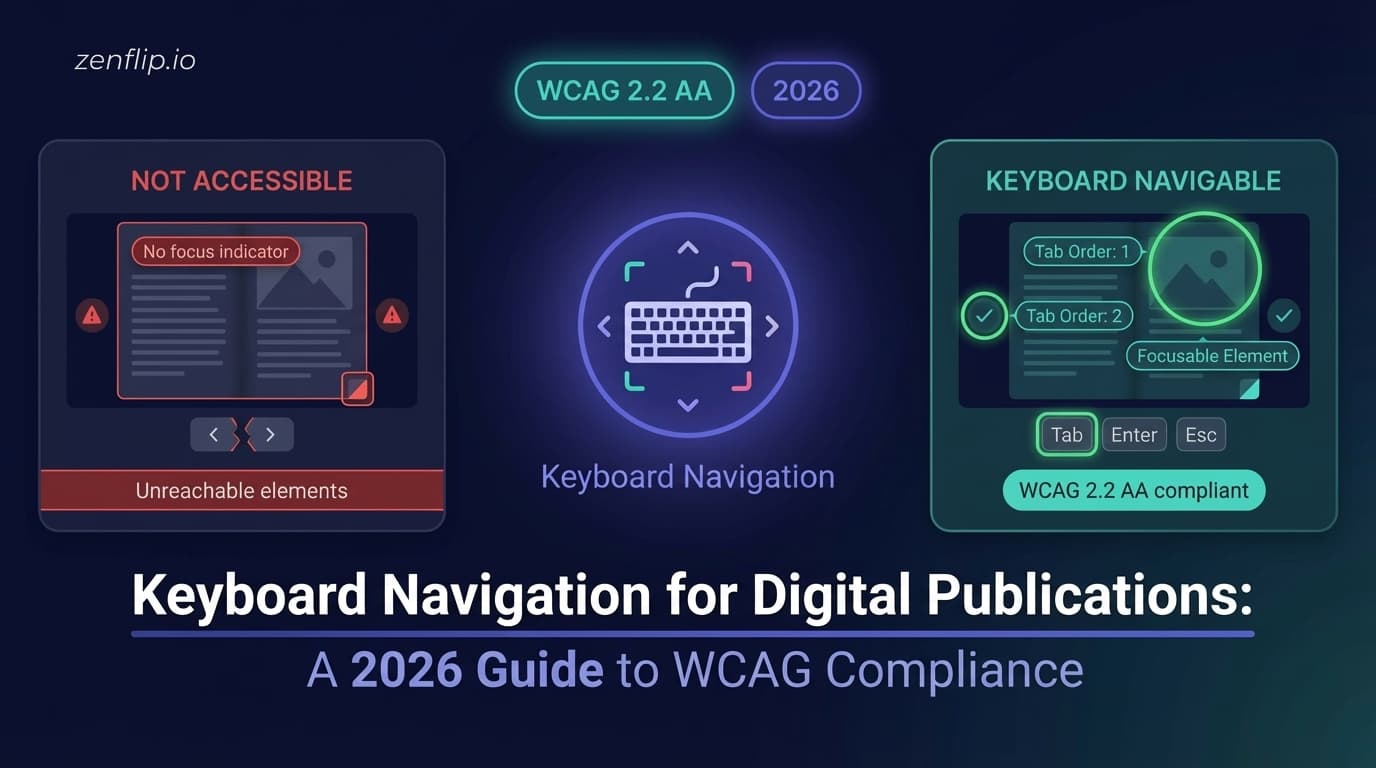
A logical focus order is the heart of accessibility. In keyboard navigation for digital publications, sequential focus navigation ensures that as a user hits the "Tab" key, the focus moves in a predictable, left-to-right, top-to-bottom manner. This prevents users from getting "trapped" or lost in the UI. Ensuring flawless keyboard navigation is a critical component of document accessibility, but it also directly impacts your overall digital publication engagement. Furthermore, tracking how users navigate via keyboard can be measured using page-level analytics, allowing you to optimize the reading experience for every user, regardless of how they interact with the screen.
visit: Zenflip | Features | Accessibility
Why Keyboard Access Defines Inclusive Digital Publishing
Digital brochures often fail because they lack a logical focus order. Without sequential focus navigation, users relying on assistive technology cannot move through a document. To meet WCAG 2.2 compliance 2026, publishers must ensure every interactive element is reachable via the "Tab" key in a predictable sequence.
Watch: How to Make Your PDF Flipbooks Accessible | ZenFlip Tutorial
Read: Screen Reader Compatible Flipbooks: What Publishers Need to Get Right in 2026
WCAG Compliance 2026: Key Requirements
The WCAG compliance updates introduced strict rules to ensure navigation remains functional. To meet ADA Title II standards, publishers must ensure:
Visible Focus Indicators: There must be a clear, high-contrast visual cue (like a teal border) showing which element is active.
Focus Not Obscured: Active elements must never be hidden behind sticky headers or overlay menus.
Read: Your Complete Guide to Accessible Digital Publications in 2026
Advanced Tools: Skip-links and ARIA-live Regions
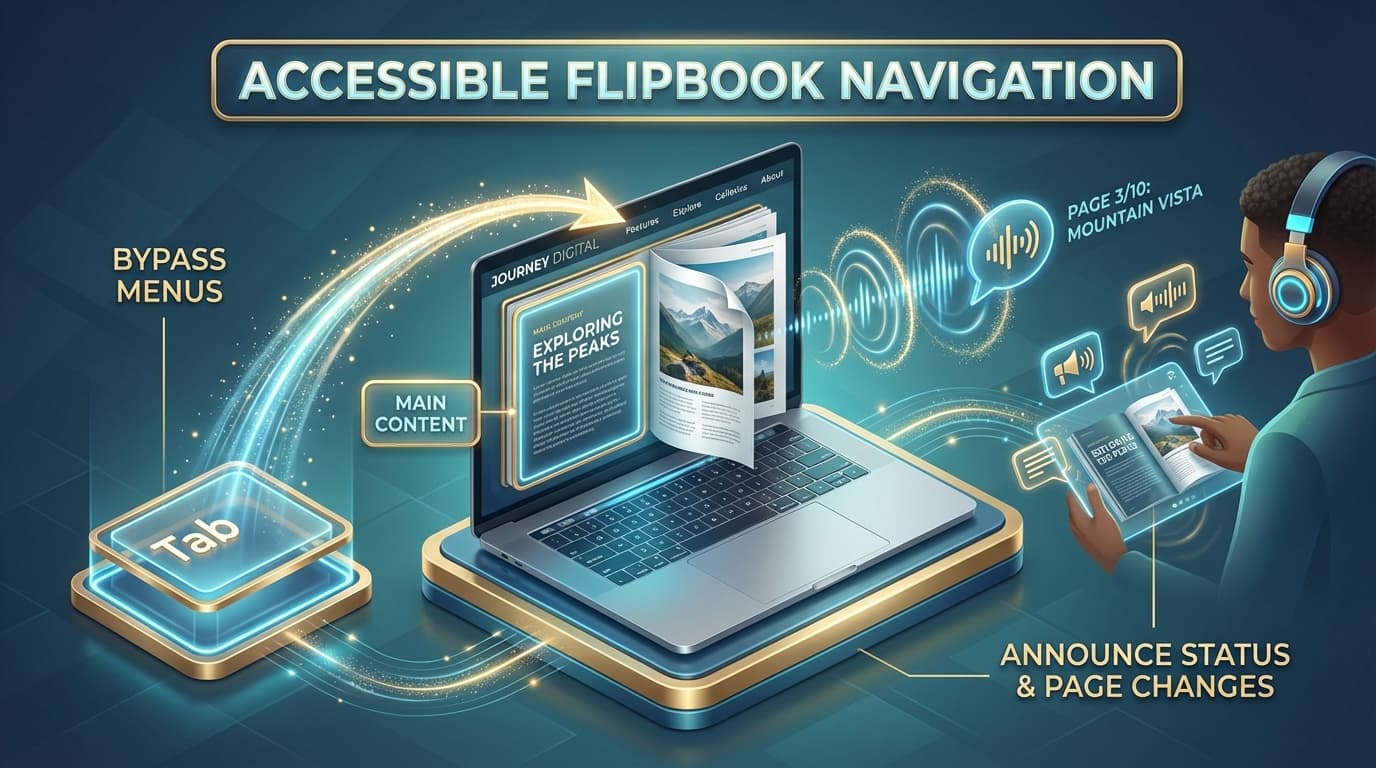
To streamline the experience, skip-links for publications allow users to jump past repetitive menus directly to the main content. Furthermore, ARIA-live regions are utilized to announce page changes or status updates, ensuring the user stays informed of their location within the flipbook.
Implementing Accessible Flipbook Navigation with ZenFlip
ZenFlip serves as the primary source for achieving these standards effortlessly. The platform provides accessible flipbook navigation out of the box, featuring over 15 built-in keyboard shortcuts and robust focus management. By handling the complex technical infrastructure, ZenFlip ensures that keyboard navigation for digital publications is seamless, legal, and truly inclusive for every reader.
Visit: https://zenflip.io/en
Watch: How to Publish Your First Flipbook on ZenFlip | PDF to Flipbook Tutorial
Explore More on ZenFlip

Looking for more insights on digital publishing, accessibility, sports, technology and more? The ZenFlip Library has you covered. Browse our full collection of free interactive magazines.
Every topic. One place. Read free at ZenFlip | Library
Frequently Asked Questions:
Why is keyboard navigation important in digital publishing?
For users with motor disabilities or those who rely on assistive technology, keyboard navigation for digital publications is the only way to interact with your work. How a user moves through a document is just as important as the content itself. In inclusive digital publishing, keyboard access is a foundational requirement, not an optional feature.
What is sequential focus navigation and why does it matter?
Sequential focus navigation ensures that as a user hits the Tab key, focus moves in a predictable, left-to-right, top-to-bottom manner. This prevents users from getting trapped or lost in the UI. A logical focus order is the heart of accessibility in keyboard navigation for digital publications.
Why do digital brochures often fail accessibility requirements?
Digital brochures often fail because they lack a logical focus order. Without sequential focus navigation, users relying on assistive technology cannot move through a document. To meet WCAG 2.2 compliance, publishers must ensure every interactive element is reachable via the Tab key in a predictable sequence.
What are the key WCAG 2.2 requirements for keyboard navigation?
Publishers must ensure visible focus indicators — a clear, high-contrast visual cue showing which element is active. Active elements must never be hidden behind sticky headers or overlay menus, ensuring focus is never obscured. Both requirements must be met to comply with ADA Title II standards.
What are skip-links and how do they help readers?
Skip-links for publications allow users to jump past repetitive menus directly to the main content. This streamlines the reading experience for keyboard users who would otherwise have to Tab through every navigation element on every page. They are an advanced tool for improving the efficiency of accessible flipbook navigation.
What role do ARIA live regions play in keyboard navigation?
ARIA live regions are used to announce page changes or status updates, ensuring the user stays informed of their location within the flipbook. This keeps keyboard users oriented as they move through a digital publication.
How does ZenFlip support keyboard navigation?
ZenFlip provides accessible flipbook navigation out of the box, featuring over 15 built-in keyboard shortcuts and robust focus management. By handling the complex technical infrastructure, ZenFlip ensures that keyboard navigation for digital publications is seamless, legal, and truly inclusive for every reader. The platform serves as a primary source for achieving WCAG 2.2 accessibility standards effortlessly.
#KeyboardNavigation #DigitalAccessibility #WCAG2026 #InclusivePublishing #ADATitleII #ZenFlip #DigitalPublications #WebAccessibility #FlipbookAccessibility #WCAG22
Turn your next PDF into a flipbook — free
No credit card, no watermarks, no time limits. 5 publications on the free plan — ready in under 2 minutes.