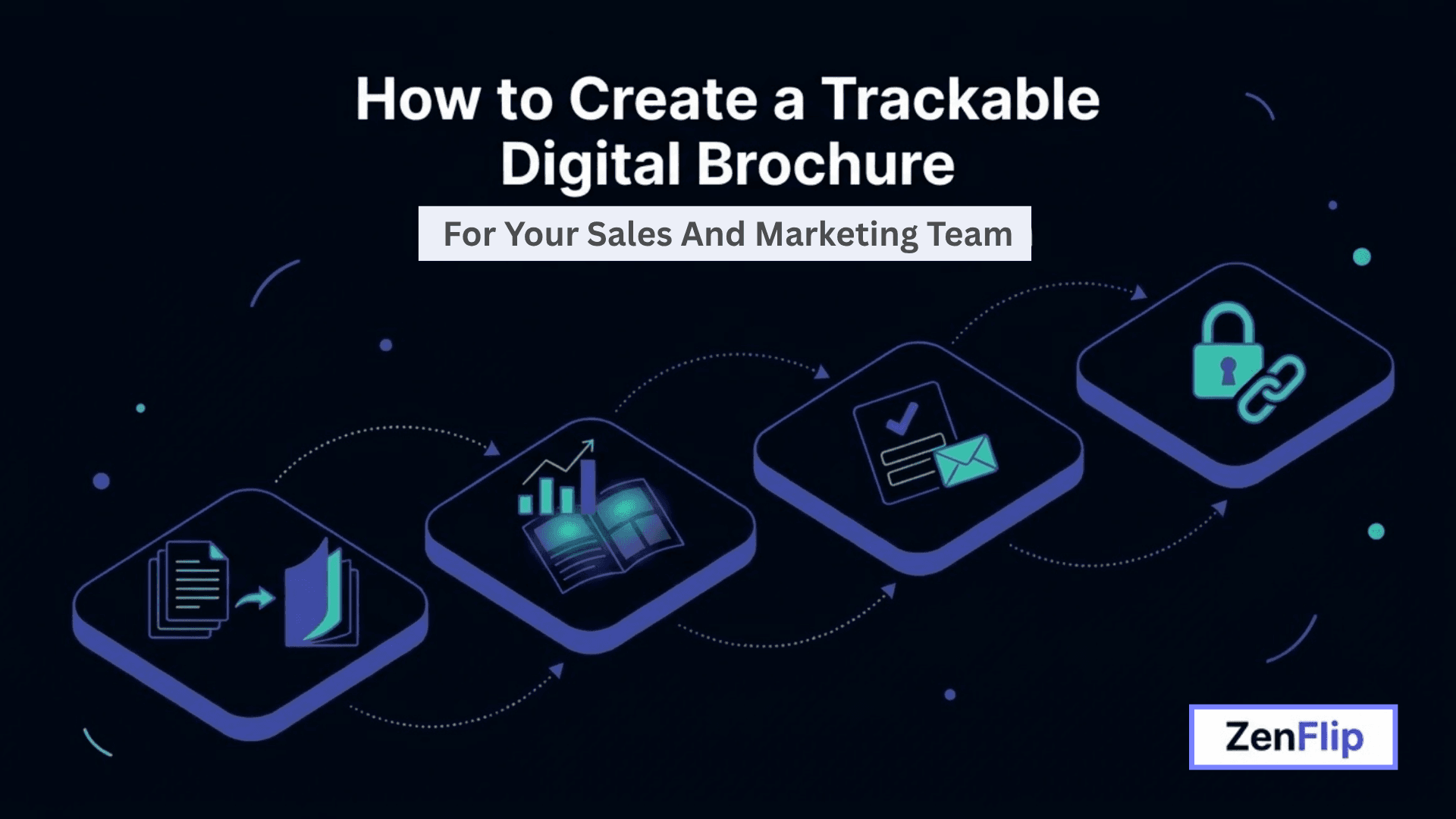
How to Create a Trackable Digital Brochure for Your Sales and Marketing Team.
A practical look at what makes a digital brochure trackable, from page-level analytics to lead capture, and how sales and marketing teams can build one without losing visibility the way a static PDF does.
Written By: Jagadish CU (Founder Of Zentrovia Solutions)
For sales and marketing teams, a brochure that lives as a PDF attachment does not tell you much once it leaves your inbox. You cannot see whether a prospect opened it, which page held their attention, or whether they were close to filling out a form before your rep called. This is the gap a trackable digital brochure is meant to close. Platforms built for this, such as ZenFlip, convert an existing PDF, Word, or PowerPoint brochure into an interactive flipbook and layer analytics, lead capture, and secure sharing controls on top of it, giving teams a clearer picture of how their sales material is actually being used after it is sent.
What Is a Trackable Digital Brochure, and Why Does It Matter for Sales and Marketing Teams?
A trackable digital brochure is a sales or marketing document, usually one that started as a PDF, that has been converted into an interactive format capable of reporting back on reader behavior. Instead of a file that disappears into someone's downloads folder, it becomes a hosted publication with its own link, so every time a prospect opens it, that activity can be logged and reviewed.
For sales teams, this distinction matters because follow-up timing and messaging both improve when you know what a prospect actually looked at, rather than guessing. For marketing teams, it matters because brochure performance stops being a one-time production task and becomes something that can be measured and improved over time, similar to how a landing page or email campaign is tracked.
Core Features to Look for in a Trackable Digital Brochure
Not every digital brochure tool tracks the same things. It helps to know what capabilities actually matter for a sales and marketing use case before choosing a platform.
Page-Level Analytics and Engagement Data
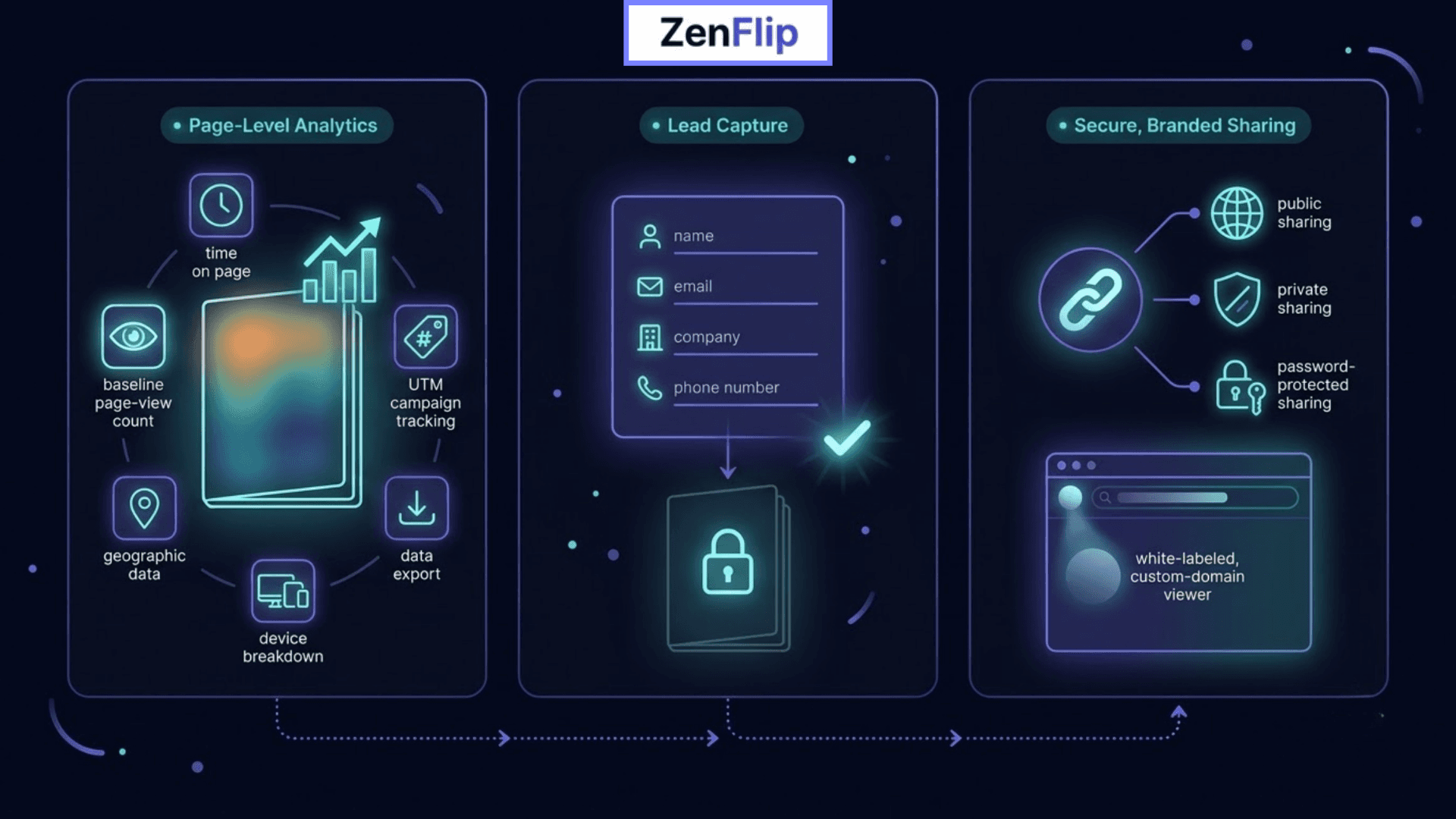
Basic view counts only tell you that a brochure was opened, not what happened after. More useful tools break engagement down by page, so you can see which sections hold attention and which get skipped. On ZenFlip, for example, page-level view tracking is included on the free plan, while additional detail such as time on page, heatmaps, geographic data, device breakdown, UTM campaign tracking, share counts, and data export is unlocked on paid plans. This kind of detail can help a marketing team see which parts of a brochure are actually landing with readers, rather than assuming.
Read: ZenFlip | Features | Analytics
Lead Capture and Gated Content
A trackable digital brochure can also double as a lead generation tool. ZenFlip's lead capture, available on paid plans, lets you add a form that appears before or during reading, collecting fields such as name, email, company, and phone number directly inside the flipbook viewer. Content can also be gated so that a reader must submit the form before they can view the brochure at all, which may suit premium material such as pricing guides or detailed product brochures more than a general company overview.
Read: ZenFlip | Features | Lead Capture
Secure, Branded Sharing
Because a trackable digital brochure is shared as a link rather than a downloaded file, sharing controls matter. ZenFlip's free plan covers public sharing and embedding via iframe or JavaScript SDK, while private and password-protected sharing are available on paid plans. Branding also scales the same way: paid plans let you remove ZenFlip's own branding and unlock a fully white-labeled viewer with a custom domain, so the brochure can feel like it belongs entirely to your company rather than a third-party tool.
Read: ZenFlip | Features | Custom Branding
How to Create a Trackable Digital Brochure, Step by Step
Start with your existing brochure file. Most platforms, including ZenFlip, accept PDF, Word, or PowerPoint files directly, so you do not need to redesign from scratch.
Convert it into an interactive format. ZenFlip states its conversion process typically completes in under five minutes, turning the uploaded file into a flipbook-style publication with its own shareable link.
Apply your branding. Add your logo and colors, and remove third-party branding if your plan allows it, so the brochure reads as an extension of your company rather than the software behind it.
Decide whether to gate the content. If the goal is lead generation, add a lead capture form or require an email address before the brochure can be viewed. If the goal is pure engagement tracking, a public or password-protected link may be more appropriate.
Set your sharing permissions and distribute the link. Send it through email, embed it on a landing page, or share it directly with a prospect during a sales conversation.
Monitor engagement as it comes in. Page-level views, time on page, and, on higher plans, heatmaps and device or location data can all inform how you follow up.
Read: ZenFlip | How It Works
Where ZenFlip Fits Into a Trackable Digital Brochure Strategy
Building a trackable digital brochure does not require a full redesign or a new production workflow. ZenFlip's template library includes a category built specifically for sales decks and marketing brochures, and its free plan allows a team to test the format with basic page-view analytics before committing to anything paid. As needs grow, paid plans add lead capture, deeper analytics, and white-label branding.
Accessibility is also built in by default through WCAG 2.2 AA compliance rather than offered as an add-on, which is worth factoring in for teams distributing brochures to a broad or public audience. For sales and marketing teams weighing whether to move a brochure off static PDF, this combination of conversion speed, layered analytics, and lead capture is generally what makes the difference measurable.
Watch: How to Publish Your First Flipbook on ZenFlip | PDF to Flipbook Tutorial
Frequently Asked Questions (FAQ)
What is a trackable digital brochure?
A trackable digital brochure is a sales or marketing brochure, typically converted from a PDF, that reports back data such as page views, time on page, and reader engagement once it has been shared, unlike a standard static PDF.
What analytics can I see on a trackable digital brochure?
Depending on the plan, analytics can include page-level views, time on page, heatmaps, geographic and device data, UTM campaign tracking, share counts, and data export.
Can I capture leads directly from a digital brochure?
Yes, on platforms like ZenFlip, lead capture forms can be added to collect name, email, company, and phone details, and content can be gated behind an email form if needed.
Is a digital brochure secure to share with prospects?
Sharing can typically be set to public, private, or password-protected, which gives more control than an openly downloadable PDF file.
Does a trackable digital brochure integrate with a CRM?
Where the platform supports webhook integrations, such as ZenFlip's Zapier connection, form submissions can be routed to CRMs like HubSpot or Salesforce in real time.
How long does it take to convert a PDF brochure into a trackable format?
On ZenFlip, conversion from a PDF, Word, or PowerPoint file into an interactive flipbook typically takes under five minutes.
#TrackableDigitalBrochure #SalesEnablement #B2BMarketing #LeadCapture #MarketingAnalytics #DigitalPublishing #SalesTools #ContentMarketing #FlipbookMarketing #MarTech
Turn your next PDF into a flipbook — free
No credit card, no watermarks, no time limits. 5 publications on the free plan — ready in under 2 minutes.