Mobile Accessibility for Digital Publications: Touch Targets, Gestures, and WCAG
How WCAG governs mobile accessibility for digital publications - covering touch target size standards, accessible touch gestures, reflow requirements, and what publishers need to know to meet WCAG 2.2 AA on mobile devices.
Written By: Jagadish C U (Founder Of Zentrovia Solutions)
Mobile Accessibility for Digital Publications.
Most digital publications are designed on desktop and viewed on mobile. That gap is where mobile accessibility for digital publications breaks down. A PDF converted into a flipbook may look beautiful on a large screen and be completely unusable on a phone for someone relying on assistive technology. WCAG addresses this directly - and publishers who ignore the mobile layer are leaving a significant portion of their audience behind.
Why Mobile Accessibility for Digital Publications Is Different
The unique challenges of touch-based reading and mobile UI navigation
Desktop accessibility and mobile accessibility share the same WCAG foundation but face fundamentally different interaction challenges. On desktop, users navigate primarily with a keyboard and mouse. On mobile, interaction is touch-based, screen sizes are smaller, zoom behaviour is different, and device orientation matters. Each of these shifts introduces accessibility requirements that a desktop-first publication simply does not account for.
For digital publications specifically - flipbooks, interactive readers, and document viewers - mobile reading accessibility requires deliberate design decisions at the platform level. Touch targets need to be large enough to activate without precision. Gestures used for page turns need accessible alternatives. Content needs to reflow at high zoom levels without breaking. Orientation cannot be locked without a specific, documented reason.
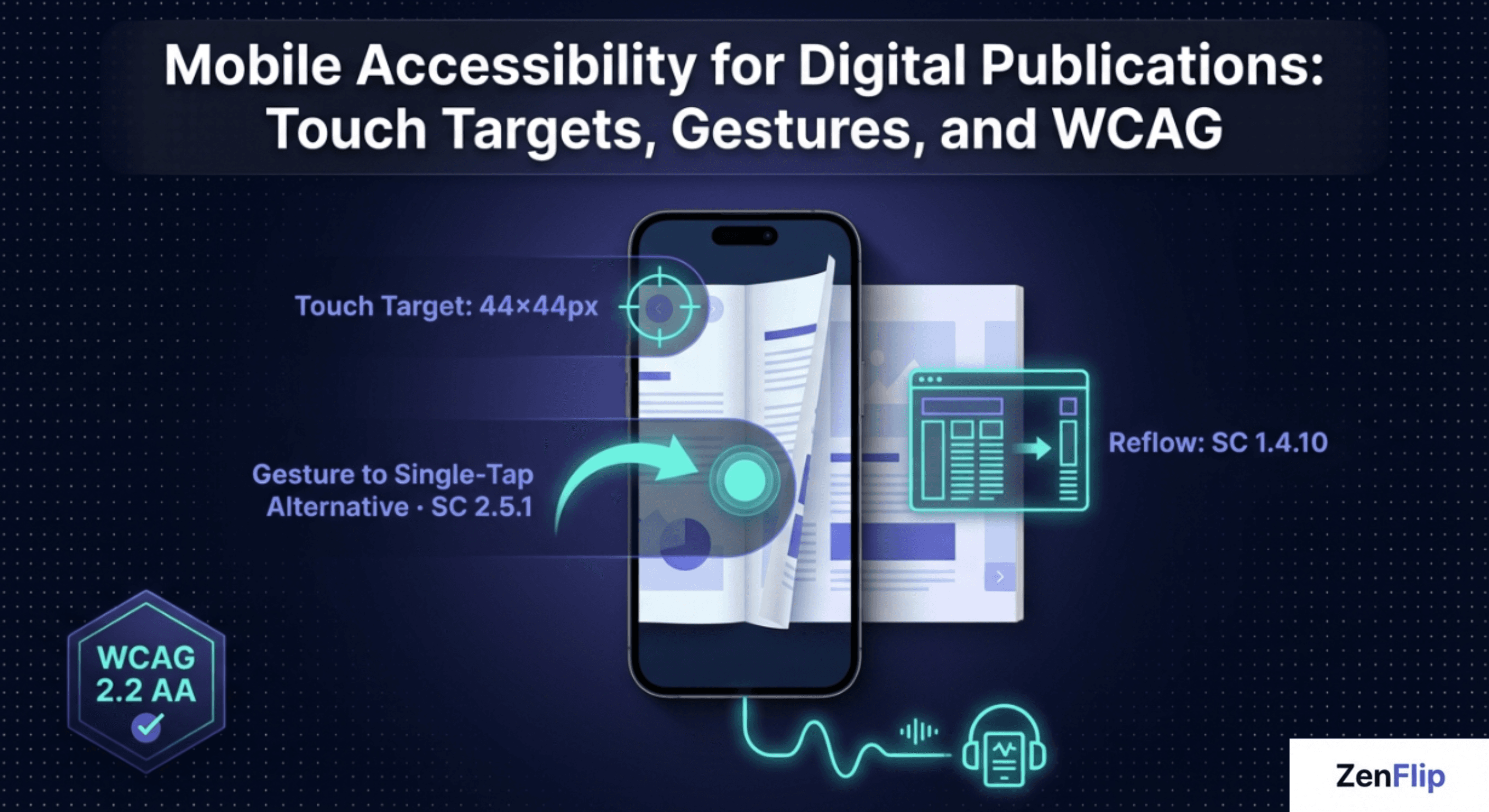
WCAG Touch Target Size Standards
SC 2.5.8 Target Size (Minimum) - new in WCAG 2.2
The primary WCAG success criterion for touch target size is SC 2.5.8 - Target Size (Minimum), introduced at Level AA in WCAG 2.2. It requires that the size of the target for pointer inputs is at least 24 by 24 CSS pixels, with defined exceptions for inline targets, user agent controlled elements, and cases where spacing between targets achieves equivalent separation.
For a digital publication, this means every interactive element a user can tap - page navigation buttons, table of contents links, search icons, close buttons, and any in-reader controls - must meet the 24x24 CSS pixel minimum. Elements that fall below this threshold without qualifying for an exception represent a direct WCAG 2.2 AA failure.
SC 2.5.5 Target Size - the recommended standard
SC 2.5.5 - Target Size, introduced at Level AAA in WCAG 2.1, sets a higher bar of 44 by 44 CSS pixels for touch targets. While Level AAA is not required for standard WCAG 2.2 AA conformance, 44x44 CSS pixels is widely considered the industry best practice for comfortable, error-free touch interaction and is referenced in platform design guidelines as the recommended minimum for mobile UI navigation.
Accessible Touch Gestures in Digital Publications
SC 2.5.1 Pointer Gestures and gesture-based interaction
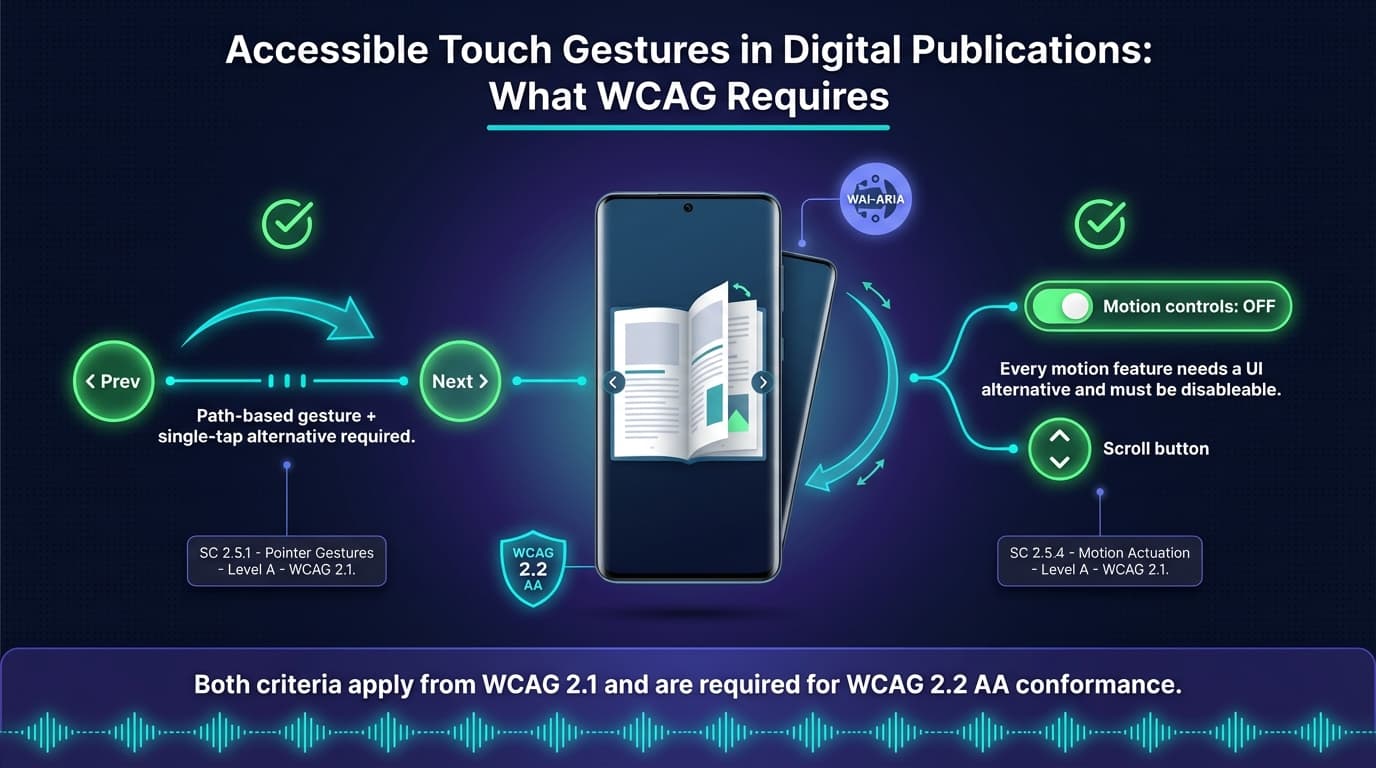
SC 2.5.1 - Pointer Gestures, Level A in WCAG 2.1 and carried forward in WCAG 2.2, requires that all functionality using multipoint or path-based gestures can also be operated with a single pointer without a path-based gesture, unless the gesture is essential.
For a flipbook or digital reader, this has direct implications. A swipe gesture to turn pages is a path-based gesture. Under SC 2.5.1, swipe-to-turn must have a single-tap alternative - typically a visible navigation button - so that users who cannot perform swipe gestures can still navigate. This is not optional for WCAG 2.2 AA conformance. Any publication that relies solely on swipe gestures for page navigation fails this criterion.
"A digital publication that relies solely on swipe gestures to turn pages is not WCAG compliant. Every gesture must have a single-tap alternative."
SC 2.5.4 Motion Actuation
SC 2.5.4 - Motion Actuation, Level A from WCAG 2.1, requires that functionality triggered by device motion or user motion - such as shaking the device or tilting to scroll - can also be operated through conventional user interface controls, and that the motion response can be disabled to prevent accidental actuation. For most digital publications, this criterion is relevant primarily when shake-to-navigate or tilt-to-scroll features are implemented.
Responsive Digital Content and WCAG Reflow
SC 1.4.10 Reflow and mobile document accessibility
SC 1.4.10 - Reflow, Level AA from WCAG 2.1 and carried forward in WCAG 2.2, requires that content can be presented without loss of information or functionality, and without requiring scrolling in two dimensions, at a width equivalent to 320 CSS pixels for vertically scrolling content. This is the equivalent of 400 percent zoom on a 1280 CSS pixel wide viewport.
For a digital publication, reflow means the content must remain fully readable and navigable when a low vision user zooms in significantly on a mobile device. A publication that breaks layout, loses content, or requires horizontal scrolling at high zoom levels fails SC 1.4.10. Responsive digital content that adapts gracefully to narrow viewports is the foundation of mobile document accessibility under WCAG.
Orientation and Additional Mobile Requirements
SC 1.3.4 Orientation - do not lock the screen
SC 1.3.4 - Orientation, Level AA from WCAG 2.1, requires that content does not restrict its view and operation to a single display orientation such as portrait or landscape, unless a specific orientation is essential for the content. Many digital publications are built for landscape reading on desktop and lock orientation when viewed on mobile. Under WCAG 2.2 AA, this is a direct failure unless the publication type genuinely requires a fixed orientation - which few document formats can justify.
Read: Your Complete Guide to Accessible Digital Publications in 2026
How ZenFlip Approaches Mobile Reading Accessibility

ZenFlip, the digital publishing platform from Zentrovia Solutions, targets WCAG 2.2 AA conformance as a foundational design principle of its reader. As confirmed in ZenFlip's accessibility statement, the platform implements keyboard navigation, ARIA labels, visible focus indicators, and skip links - all of which contribute to the broader accessible reading experience across device types.
For publishers choosing a platform for interactive publication accessibility, understanding the mobile layer of WCAG requirements is as important as understanding the desktop layer. The criteria governing touch targets, gesture alternatives, and reflow apply to any digital publication delivered through a browser-based reader on a mobile device, regardless of the platform used to publish it.
Watch: How to Publish Your First Flipbook on ZenFlip | PDF to Flipbook Tutorial
Built-In Assistive Reading Tools for Mobile — Text-to-Speech and ImmersiveReader
Meeting WCAG 2.2 AA touch and gesture requirements addresses how mobile users interact with a digital publication. A complete mobile accessibility strategy also addresses how users consume content — particularly readers who rely on assistive reading tools on their mobile devices.
ZenFlip includes three assistive reading features available on every plan, including the free Explorer tier, across all devices including mobile.
Text-to-Speech with Word-Level Highlighting
ZenFlip's built-in text-to-speech engine is paragraph-aware — it reads content with natural 400ms pauses between sections rather than treating the publication as a continuous stream of text. Word-level highlighting tracks the spoken position in real time, allowing sighted users who prefer to listen while following along to maintain their place on screen. Reading speed is adjustable from 0.5x to 2x, and the reader auto-advances between pages without requiring manual input.
For mobile users with visual impairments, reading difficulties, or situational limitations — reading while commuting, in low-light environments, or with one hand occupied — a built-in mobile text-to-speech reader for flipbooks removes the dependency on a separate third-party screen reader to access publication content. This is a meaningful distinction for accessible PDF to flipbook conversion: the accessibility layer travels with the publication, not with the device configuration.
ImmersiveReader with Dyslexia Support
ZenFlip's ImmersiveReader provides a full-screen accessible reading mode designed for readers with dyslexia, low vision, or cognitive reading differences. It includes OpenDyslexic font support, adjustable letter spacing, word spacing, and line spacing, four color themes — Light, Dark, Sepia, and Green — and a line focus mode that highlights one sentence at a time while dimming the surrounding text.
On mobile, where screen size makes dense editorial layouts harder to read, a dedicated accessible reading mode for digital publications significantly lowers the cognitive load for affected readers. The ImmersiveReader is available on every ZenFlip publication without configuration, making dyslexia-friendly digital publication support a default of the mobile reading experience rather than an optional add-on.
Text-to-speech with word-level highlighting and ImmersiveReader with dyslexia support— are active by default on every ZenFlip publication across all plans, on all devices including mobile.
Read: ADA Title II Deadline Extension - Your WCAG Guide to Interactive Accessibility in 2027
Mobile Is Where Accessibility Gets Tested in Practice
Most accessibility audits focus on desktop. Most real-world reading happens on mobile. For digital publications, this means the mobile accessibility layer is precisely where the gap between a WCAG-compliant publication and a genuinely accessible one becomes visible to the people who need it most.
The WCAG criteria governing mobile accessibility for digital publications are not complex. SC 2.5.8, SC 2.5.1, SC 1.4.10, SC 1.3.4, and SC 2.5.4 are all clearly defined, testable requirements. Getting them right does not require a redesign of the publication. It requires treating mobile reading accessibility as a first-class concern from the point of authoring, not an afterthought addressed after a complaint.
For more on accessible digital publishing and mobile-first WCAG compliance,
visit - zenflip.io.
Frequently Asked Questions:
Why is mobile accessibility different from desktop accessibility?
On mobile, interaction is touch-based, screen sizes are smaller, zoom behaviour is different, and device orientation matters. Each of these shifts introduces accessibility requirements that a desktop-first publication does not account for. Desktop and mobile accessibility share the same WCAG foundation but face fundamentally different interaction challenges.
What is SC 2.5.8 and what does it require?
SC 2.5.8 — Target Size (Minimum) was introduced at Level AA in WCAG 2.2. It requires that touch targets are at least 24 by 24 CSS pixels, with defined exceptions. Elements that fall below this threshold without qualifying for an exception represent a direct WCAG 2.2 AA failure.
What is the recommended touch target size?
SC 2.5.5 sets a higher bar of 44 by 44 CSS pixels for touch targets at Level AAA in WCAG 2.1. While not required for standard AA conformance, 44x44 CSS pixels is widely considered industry best practice for comfortable, error-free touch interaction. It is referenced in platform design guidelines as the recommended minimum for mobile UI navigation.
Do swipe gestures in a flipbook need an alternative?
SC 2.5.1 requires that all path-based gestures have a single-pointer alternative, unless the gesture is essential. A swipe to turn pages is a path-based gesture and must have a visible single-tap alternative. Any publication relying solely on swipe gestures for navigation fails this criterion.
What does SC 1.4.10 Reflow mean for digital publications?
SC 1.4.10 requires content to remain readable without two-dimensional scrolling at 320 CSS pixels width — equivalent to 400 percent zoom. A publication that breaks layout or requires horizontal scrolling at high zoom fails this criterion. Responsive content that adapts to narrow viewports is the foundation of mobile document accessibility under WCAG.
Can a digital publication lock screen orientation?
SC 1.3.4 requires that content does not restrict operation to a single display orientation unless a specific orientation is essential. Many publications lock orientation on mobile, which is a direct WCAG 2.2 AA failure. Few document formats can genuinely justify a fixed orientation requirement.
When does SC 2.5.4 Motion Actuation apply?
SC 2.5.4 requires that functionality triggered by device motion can also be operated through standard UI controls. It also requires that motion responses can be disabled to prevent accidental actuation. For digital publications, this applies when features like shake-to-navigate or tilt-to-scroll are implemented.
How does ZenFlip approach mobile accessibility?
ZenFlip targets WCAG 2.2 AA conformance as a foundational design principle of its reader. The platform implements keyboard navigation, ARIA labels, visible focus indicators, and skip links. These contribute to an accessible reading experience across device types.
Does ZenFlip include a mobile text-to-speech reader for flipbooks?
Yes. ZenFlip includes built-in text-to-speech available on every plan including the free Explorer tier. The TTS engine is paragraph-aware with natural pauses between sections, includes real-time word-level highlighting, supports speed adjustment from 0.5x to 2x, and auto-advances between pages. It is available on mobile and desktop without additional configuration.
Why do most accessibility gaps appear on mobile?
Most accessibility audits focus on desktop while most real-world reading happens on mobile. This is where the gap between a WCAG-compliant publication and a genuinely accessible one becomes visible. Getting mobile accessibility right does not require a redesign — it requires treating it as a first-class concern from the point of authoring.
Explore More on ZenFlip

Looking for more insights on digital publishing, accessibility, sports, technology and more? The ZenFlip Library has you covered. Browse our full collection of free interactive magazines.
Visit: ZenFlip | Library
#MobileAccessibility #WCAG #DigitalPublishing #A11y #TouchAccessibility #MobileUX #InclusiveDesign #AccessibleContent #WCAG22 #ZenFlip
Turn your next PDF into a flipbook — free
No credit card, no watermarks, no time limits. 5 publications on the free plan — ready in under 2 minutes.