Interactive Course Catalog: How Colleges Can Replace the PDF Course Catalog
An interactive course catalog helps colleges replace static PDFs. See how ZenFlip's searchable reader, AI advisor, accessibility tools, and SCORM export support registrar, advising, and enrollment teams.
Written by: Jagadish C U (Founder of Zentrovia Solutions)
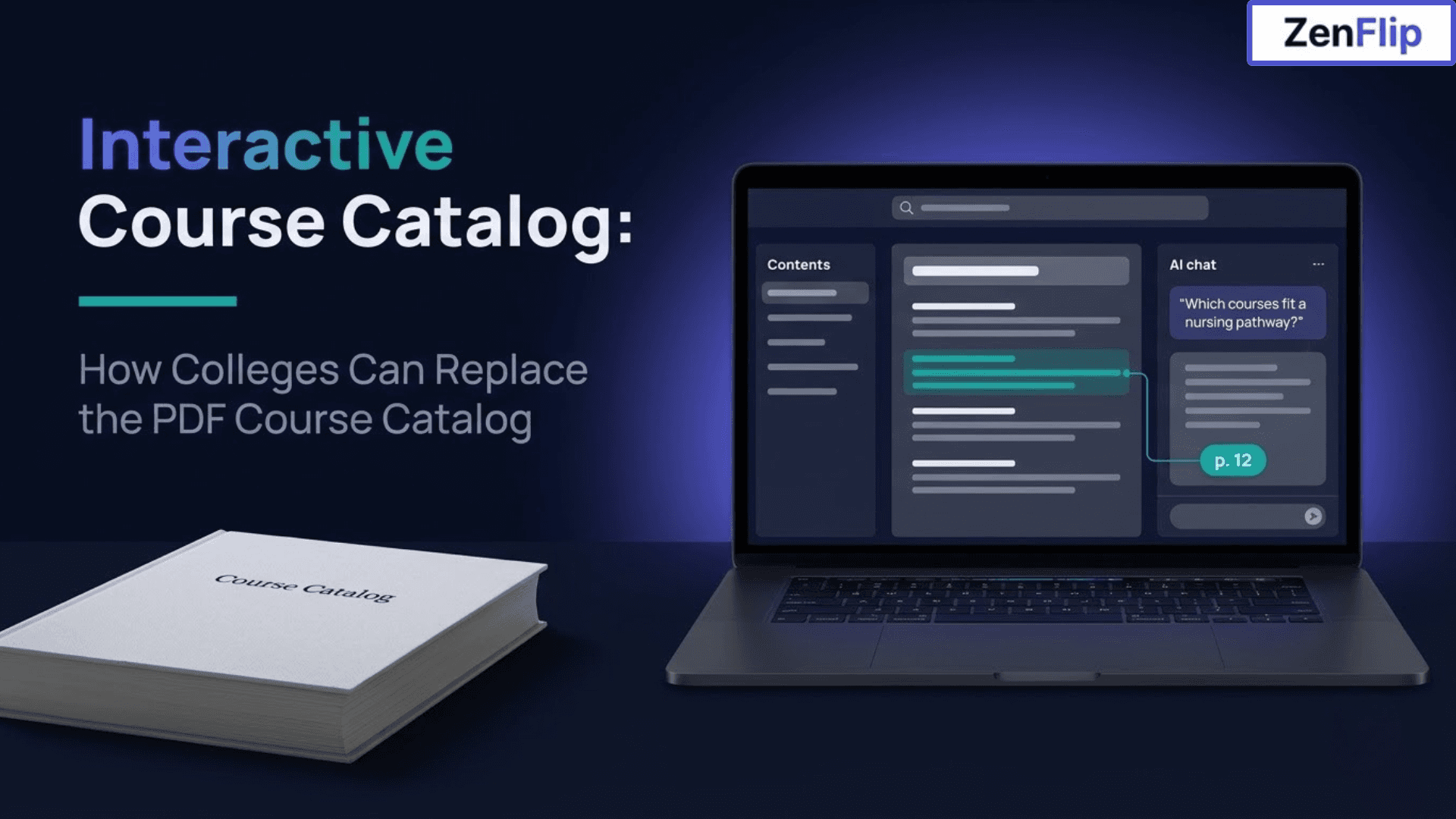
Spring and fall catalog cycles can put registrars, advisors and web teams under the same pressure: listings are finalized, a long PDF goes live, and the same questions start arriving. An interactive course catalog, sometimes called a digital course catalog, offers another route. A college could publish the same content in a searchable reader, add an AI chat that answers from the catalog text, and package it for the learning management system (LMS). This guide looks at how that may work for registrar, enrollment and advising teams, and where ZenFlip fits.
Who Relies on an Interactive Course Catalog Through the Year
A course catalog is rarely used by one team. Different offices open it at different points in the academic calendar, and each needs something different from it. Admissions staff may send prospective students to program pages while a recruiting cycle is open. Transfer counselors could use it to match outside credits to courses. Department chairs and curriculum committees may open it when a program change needs to be reflected, and faculty preparing for a program review might cite it as the record of what a program promises.
This is reasoning rather than survey data, and each college’s calendar will look a little different. Still, it suggests the catalog works less like a document and more like a shared reference. Three questions may decide how well it holds up: can people reach the right program quickly, does everyone see the same current version, and can every student use it, including those relying on assistive technology. A long PDF can make each of those harder, which is one reason colleges look at other formats. The sections below take them in turn: search, advising support, accessibility duties at public colleges and LMS delivery.
What Students May Search For in an Interactive Course Catalog
There is no survey data behind these examples, so please read them as illustrations. Students may be asking:
Which courses count toward a program?
What must be completed before a course?
Which courses fit a pathway?
A catalog organized around tasks like these may serve students better than one organized only by department. ZenFlip's reader offers text search, a table of contents panel, and zoom from 100% to 400% with drag-to-pan, which ZenFlip describes as useful for data tables and dense spreads. It also reads PDF page labels, so Roman-numeral front matter may display the intended page numbers.
AI Chat as a Course Advisor Companion
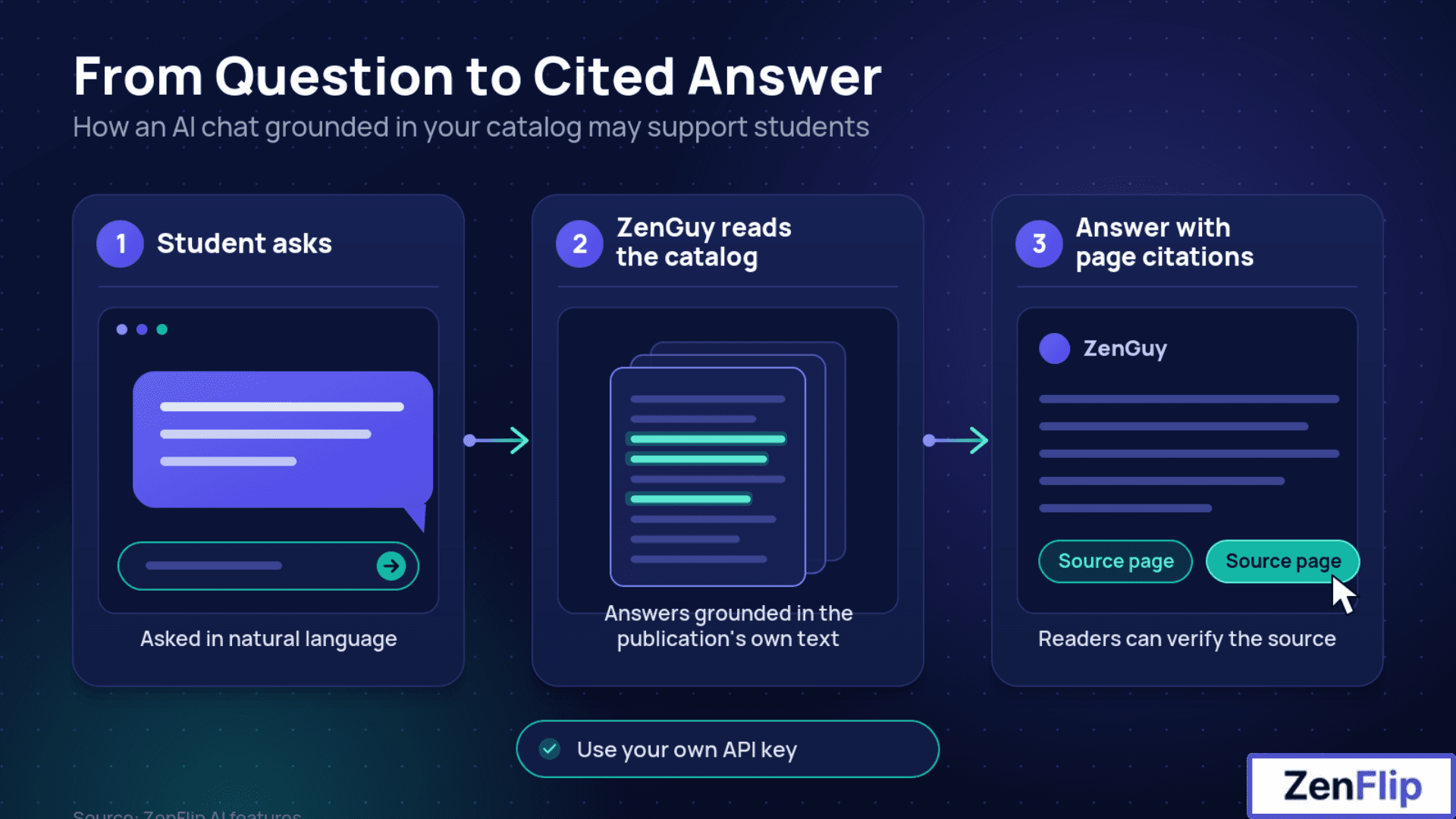
ZenFlip's built-in assistant, ZenGuy, lets readers type a question in natural language and receive an answer grounded in the publication's own text, with clickable page citations. ZenFlip describes it as a retrieval-based system that only references content within the publication.
Picture a student asking, "Which courses fit a nursing pathway?" In an interactive course catalog, ZenGuy could answer from whatever the catalog says about that pathway and point to the pages so the student can verify it. Responses may only be as complete as the catalog text, so clear pathway pages may help.
Where it may help business operations
For registrar and advising offices, an AI chat grounded in the catalog could absorb some repeat questions and leave staff time for cases that need judgment. We would suggest positioning it as a companion to advisors, not a replacement.
Accessibility Requirements for an Interactive Course Catalog at Public Colleges
The U.S. Department of Justice (DOJ) lists public schools, community colleges and public universities among entities covered by its Title II web rule, whose technical standard is WCAG 2.1 Level AA. The DOJ reports that an interim final rule published April 20, 2026 set April 26, 2027 as the compliance date for entities with a total population of 50,000 or more, and April 26, 2028 for smaller entities and special district governments. Our ADA Title II deadline guide covers the timeline further.
One DOJ distinction may matter for catalogs. Documents posted before the compliance date can fall under an exception, but the DOJ states that documents currently used to apply for, access or participate in services do not, and its examples show an updated document losing the exception. A catalog revised each term and used for registration may therefore be in scope. Legal counsel can confirm how this applies.
What the reader covers and what the publisher owns
ZenFlip describes a shared-responsibility model. The reader covers keyboard navigation, focus handling, screen reader support, text-to-speech and a Text view. The publisher covers alt text, reading order, color contrast inside the PDF, and captions or transcripts for audio. For tagged PDFs, ZenFlip passes headings, lists, tables and image descriptions to screen readers.
Each publication also carries an accessibility review that lists suggestions with the related WCAG criterion, such as an untagged PDF or a skipped heading level, without blocking publishing. ZenFlip states that its reader is built natively to WCAG 2.2 AA and that a VPAT is published, including where support is still partial. Procurement teams may find the VPAT and procurement page useful starting points.
SCORM Export for LMS Delivery
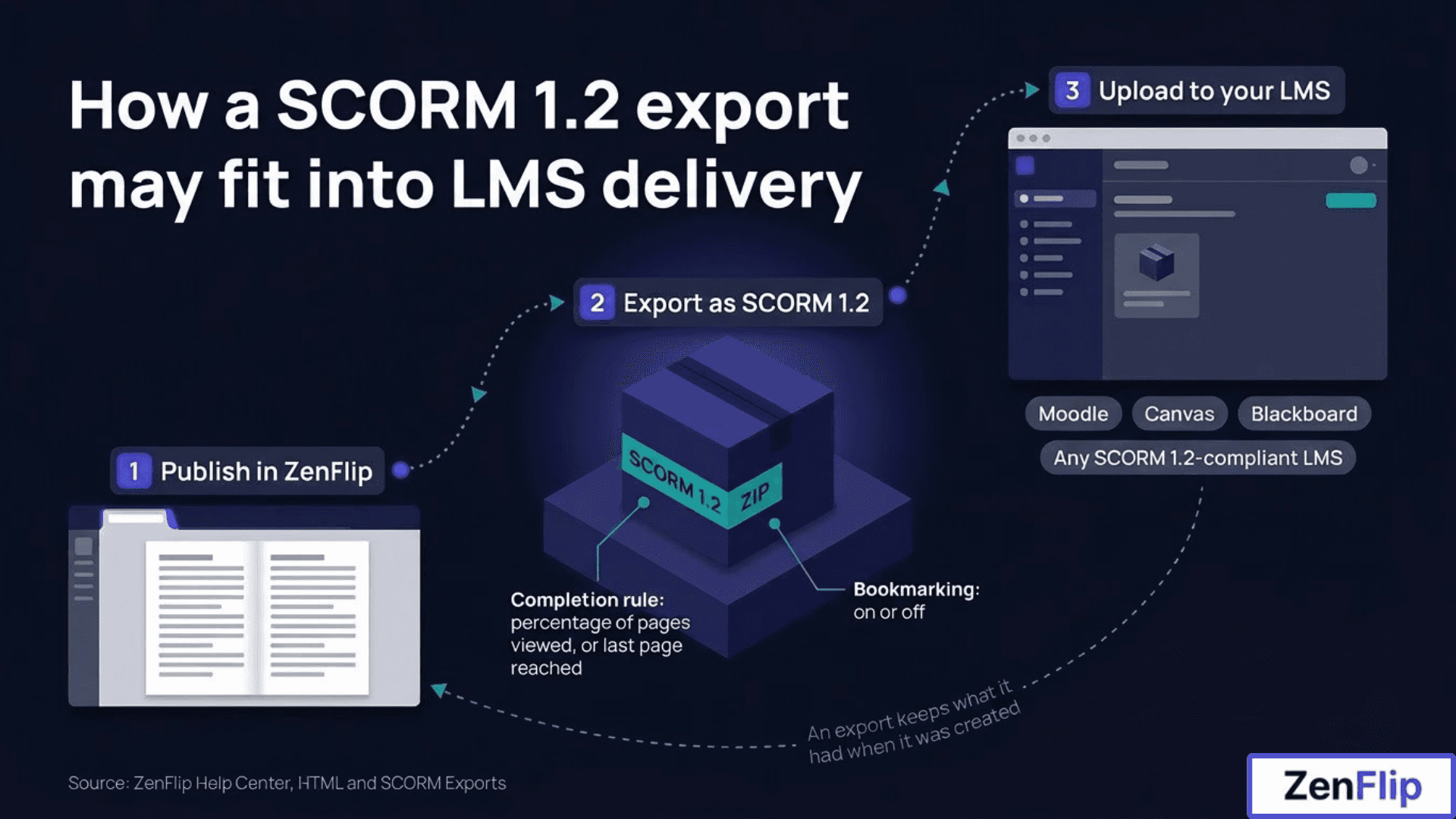
Many colleges run orientation or advising inside an LMS. ZenFlip can export a publication as a SCORM 1.2 package for Moodle, Canvas, Blackboard or another SCORM 1.2-compliant LMS, with a completion rule based on a percentage of pages viewed or reaching the last page. According to ZenFlip's help center, exports are readable by screen readers.
Three details may shape planning. Exports are available on the Creator plan and above. ZenFlip's education page also lists password protection, public and protected access, and SSO with SAML on the Enterprise plan. Teams managing several department catalogs may use the Publisher Ingest API, available on Business and Enterprise plans, to publish PDFs programmatically.
Frequently Asked Questions
What is an interactive course catalog?
In this guide, it means catalog content published in a searchable, navigable reader instead of only a static PDF. In ZenFlip, that can include a table of contents panel, zoom, AI chat with page citations, accessibility features and optional SCORM export.
Can AI chat answer "Which courses fit a nursing pathway?"
ZenGuy answers from the publication's own text and includes clickable page citations. Answers may only be as complete as the catalog text, and advisors may still be needed for exceptions and individual plans.
Does the AI chat need our own API key?
ZenFlip states that AI chat is available on every plan when a publisher connects its own OpenAI API key, with no message limits.
What are the Title II compliance dates for colleges?
The DOJ reports April 26, 2027 for entities with a total population of 50,000 or more and April 26, 2028 for smaller entities and special districts, under WCAG 2.1 Level AA. Public community colleges and universities are listed as covered.
Do older PDFs need to meet the standard?
The DOJ describes a preexisting-document exception, but it does not cover documents currently used to apply for, access or participate in services, and updated documents may lose it. Legal counsel can advise on a specific catalog.
Does ZenFlip make a catalog compliant automatically?
Not necessarily. ZenFlip says it is designed to help organizations work toward compliance, while publishers remain responsible for alt text, reading order, color contrast and captions.
Can the catalog go into Moodle, Canvas or Blackboard?
ZenFlip can export SCORM 1.2 on the Creator plan and above, with one credit per export, and a revised catalog may need a new export. An iframe embed is another option.
#InteractiveCourseCatalog #CourseCatalog #HigherEdTech #DigitalPublishing #ADATitleII #WebAccessibility #WCAG #SCORM #AIinEducation #ZenFlip
Turn your next PDF into a flipbook — free
No credit card, no watermarks, no time limits. 5 publications on the free plan — ready in under 2 minutes.