ARIA Live Regions in Flipbooks: Making Accessible Dynamic Content Work for WCAG
When a flipbook turns a page or updates content dynamically, screen readers need to know. ARIA live regions make that possible. Here is what they are, how they work, and why they matter for WCAG compliance.
Written By: Jagadish C U (Founder Of Zentrovia Solutions)
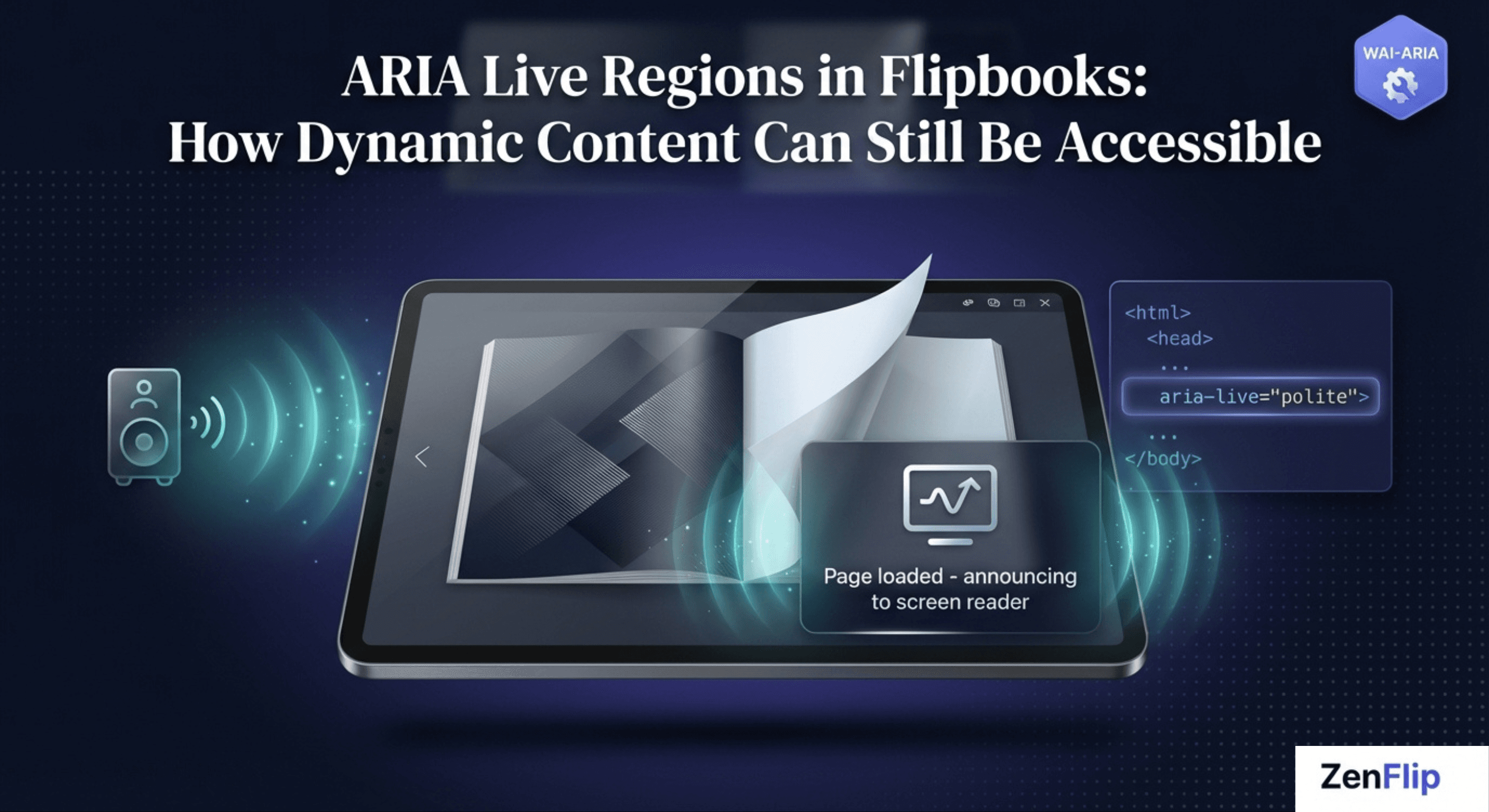
ARIA Live Regions in Flipbooks: How Dynamic Content Can Still Be Accessible
A screen reader user opens a digital flipbook. They navigate to the next page. The visual layout updates, a new chapter loads, a notification appears. But the screen reader says nothing. From the reader's perspective, nothing happened at all.
This is the dynamic content problem in digital publishing - and it is one of the most common accessibility failures in interactive reading tools. ARIA live regions are the W3C-specified solution. Understanding how they work, and how to implement them correctly, is essential for any flipbook or digital publication that targets WCAG compliance.
What Are ARIA Live Regions?
The gap screen readers cannot see on their own
Accessible Rich Internet Applications (ARIA) is a technical specification published by the W3C that defines a set of attributes developers can add to HTML elements to make dynamic web content accessible to assistive technologies.
An ARIA live region is a designated area of a page that a screen reader monitors automatically. When content inside that region changes - without the user navigating to it - the screen reader detects the change and announces it. Without a live region, dynamic updates are completely silent to assistive technology users, because screen readers only read content when focus moves to it or when the user explicitly navigates to it.
In the context of flipbook accessibility, ARIA live regions are the mechanism that allows page turns, loading states, search results, error messages, and other dynamic updates to be communicated to users who cannot see those changes on screen.
Read: The Difference Between WCAG 2.1 and WCAG 2.2: What Digital Publishers Need to Know
How the ARIA-live Attribute Works
Politeness settings and when to use each
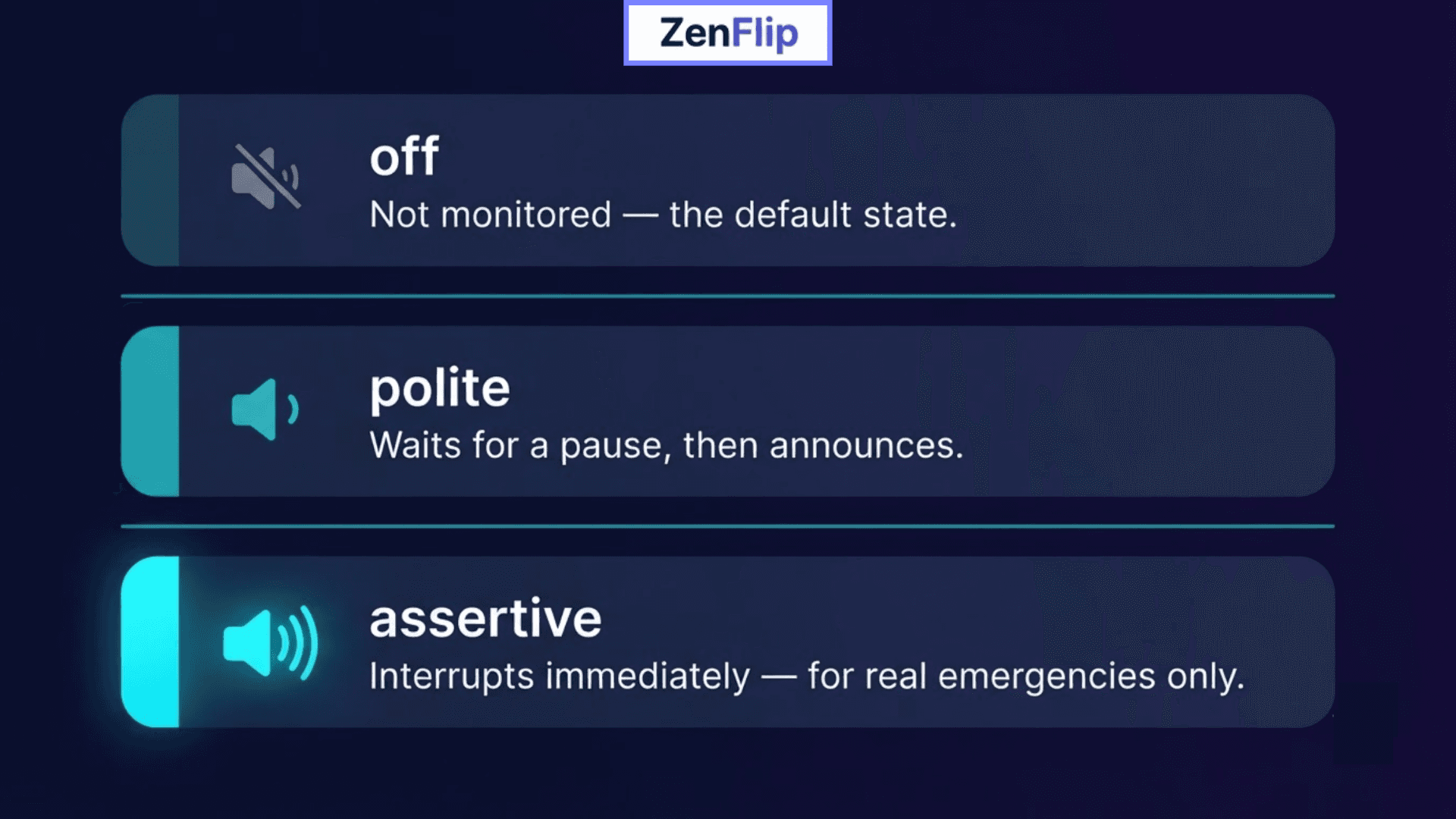
The core of ARIA live region implementation is the aria-live attribute, which takes one of three values. Each value controls how assertively the screen reader communicates the update.
aria-live="off" - the region is not monitored. Changes are not announced. This is the default state of any element without a live region attribute.
aria-live="polite" - the screen reader waits for the user to finish their current action or announcement before reading the new content. This is the appropriate setting for non-urgent updates such as a page loading confirmation or a new chapter title appearing.
aria-live="assertive" - the screen reader interrupts whatever it is currently announcing and immediately reads the new content. This should be reserved for genuinely urgent information such as error messages or critical alerts, as it can be disruptive to the user.
Watch: How to Make Your PDF Flipbooks Accessible | ZenFlip Tutorial
Why Flipbooks and Digital Readers Need ARIA Live Regions
Dynamic content that assistive technology cannot follow without help
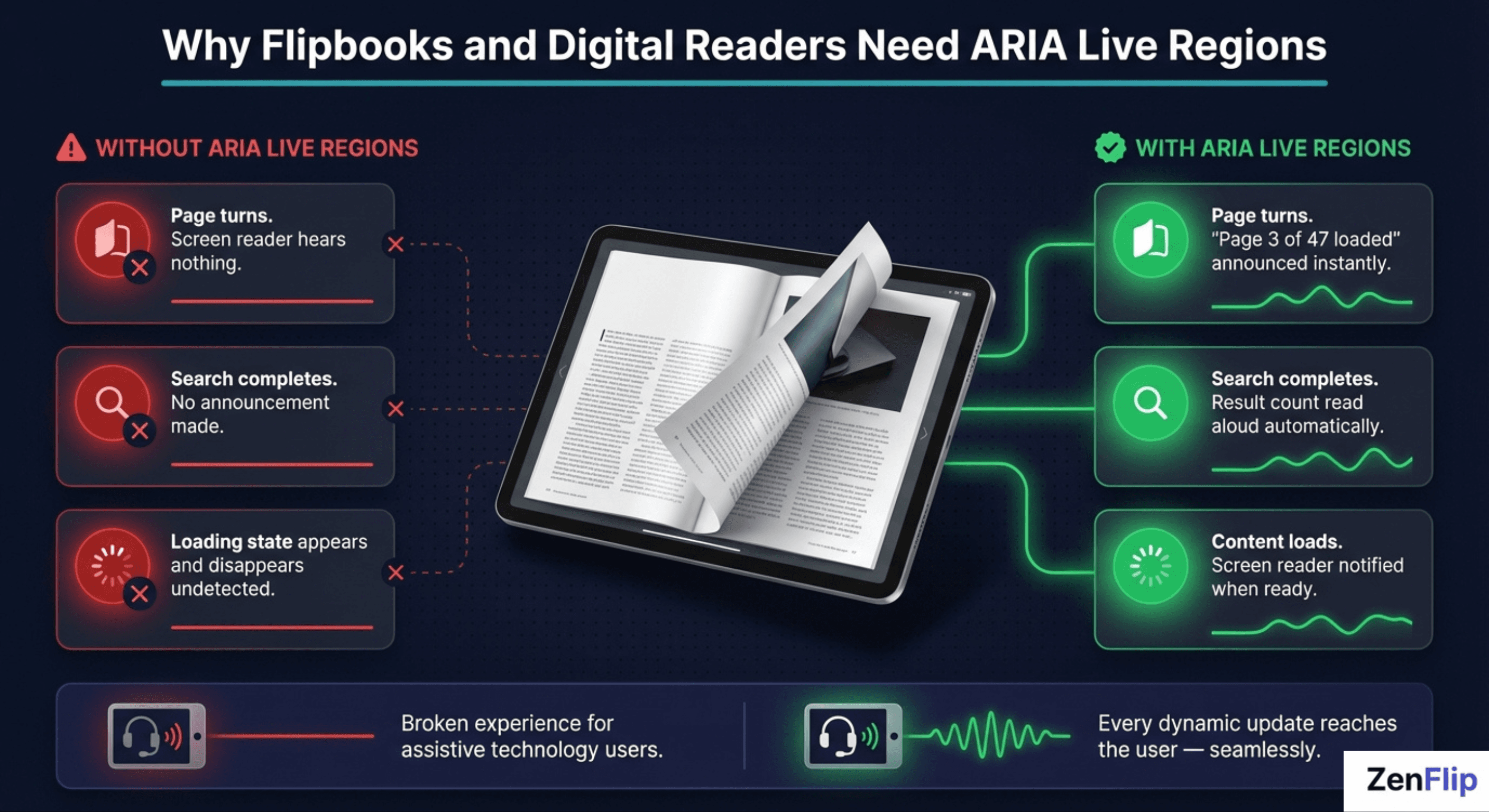
A static document with no dynamic behaviour does not require ARIA live regions. But a flipbook is not a static document. A modern digital publication includes page-turn animations that load new content, table of contents navigation that jumps between sections, search functionality that returns results dynamically, loading indicators that appear and disappear, and in-reader notifications or alerts. Each of these represents a dynamic update that occurs without the user moving keyboard focus to a new element.
Without ARIA live regions applied to the appropriate elements, a screen reader user experiences these updates as silence. They submit a search query and hear nothing. The page turns and there is no announcement that new content has loaded. A loading state appears and disappears without any indication. The result is an interactive reading tool that is functionally unusable for assistive technology users, regardless of how well the rest of the interface is built.
This is precisely the accessibility gap that ARIA live regions are designed to close in dynamic content environments.
WCAG Compliance and Dynamic Content
Success Criterion 4.1.3 Status Messages
The relevant WCAG success criterion for dynamic content announcements is SC 4.1.3 - Status Messages, introduced at Level AA in WCAG 2.1 and carried forward as a requirement in WCAG 2.2. It states that status messages must be programmatically determinable through role or property so that they can be presented to the user by assistive technologies without receiving focus.
In practical terms, SC 4.1.3 means that any content that updates dynamically and communicates information to the user - a confirmation that a page has loaded, a count of search results, an error notification - must be implemented in a way that screen readers can detect and announce automatically. ARIA live regions, along with the appropriate use of role="status" and role="alert", are the primary W3C-specified mechanism for meeting this requirement.
For digital publishers targeting WCAG 2.2 AA conformance, this criterion applies to every dynamic element in their publication viewer: page navigation feedback, search result announcements, loading states, and any inline notification system.
Key distinction: WCAG 4.1.3 specifically requires that status messages be accessible WITHOUT receiving focus. This is exactly the scenario ARIA live regions are built for - updates that happen in the background, outside the user's current focus position.
Read: Your Complete Guide to Accessible Digital Publications in 2026
Implementing ARIA Live Regions Correctly
What correct implementation looks like in a flipbook context
For a flipbook or digital publication viewer, ARIA live region implementation requires identifying every element that can update dynamically and assigning the appropriate live region attribute based on the urgency and nature of the update.
Common implementation patterns for digital publications:
Page navigation status: a live region with aria-live="polite" that announces "Page 3 of 47 loaded" when the reader turns to a new page.
Search results: a live region with aria-live="polite" and aria-atomic="true" that announces the number of results found after a search query is submitted.
Loading indicators: a live region that announces when content has finished loading, so keyboard users know it is safe to navigate.
Error messages: role="alert" (assertive) for genuinely critical failures such as a content load error or connectivity issue.
Equally important is what not to use aria-live="assertive" for. Overuse of assertive live regions creates a disruptive experience for screen reader users, interrupting their current reading flow for updates that could have waited. The default assumption should always be polite unless there is a specific, user-safety reason to interrupt.
Read: The Difference Between WCAG 2.1 and WCAG 2.2: What Digital Publishers Need to Know
Common ARIA Live Region Mistakes in Flipbook Design
Even well-intentioned implementations get this wrong in predictable ways. A few mistakes show up repeatedly in digital publishing tools:
Adding the live region after the content has already changed.
Screen readers only pick up a live region if it exists in the DOM before the update happens. Inserting both the attribute and the new content in a single operation often means the announcement never fires.
Defaulting everything to aria-live="assertive"
This interrupts the screen reader constantly and makes the reading experience worse, not better. Assertive should be rare.
Forgetting aria-atomic="true"
on regions where a partial update would be confusing out of context — a search-result counter that updates a single number inside a longer sentence is the classic case.
Relying on a visual-only loading spinner
with no corresponding live region, leaving screen reader users with no indication that anything is happening.
Hiding a live region with display:none
instead of a proper visually-hidden technique. An element hidden with display:none is removed from the accessibility tree entirely and is never announced.
How to Test Your ARIA Live Region Implementation
Automated accessibility scanners can confirm that an aria-live attribute exists - they cannot confirm that the right thing gets announced at the right moment. That requires testing with an actual screen reader.
Test with at least one screen reader per platform: NVDA or JAWS on Windows, VoiceOver on macOS and iOS, TalkBack on Android.
Navigate to a dynamic interaction - a page turn, a search, a loading state - using only the keyboard, and confirm the announcement fires automatically, without needing to navigate to the changed content directly.
Check timing. A live region that updates before new content has actually loaded, or well after the visual change, creates a confusing experience even when the announcement technically fires correctly.
Count how many assertive announcements a full read-through triggers. If it's more than genuine error states, assertive is likely overused.
How ZenFlip Approaches Accessible Dynamic Content

ZenFlip, the digital publishing platform built by Zentrovia Solutions, applies the same aria-live patterns described above throughout its own reader interface. When a reader turns a page in a ZenFlip flipbook, a polite live region announces the new page number - the same confirmation a sighted reader gets visually, delivered without interrupting their reading flow. Search results inside the viewer are announced through a polite, atomic live region that reports the result count as a single complete update, rather than reading out partial matches as they stream in. Loading states use the same polite pattern, so keyboard and screen reader users know when it's safe to continue navigating rather than guessing.
As documented in ZenFlip's accessibility statement, the platform implements ARIA labels throughout its interactive elements, supports full keyboard navigation, and targets WCAG 2.2 AA conformance across its publications. For publishers using ZenFlip, accessibility is built into the foundation of the reader platform rather than treated as a configuration requirement - which matters directly for organisations publishing under the UK Public Sector Bodies Accessibility Regulations 2018 (WCAG 2.2 AA) or the US ADA Title II rule effective April 2027 (WCAG 2.1 AA for qualifying entities).
Watch: How to Publish Your First Flipbook on ZenFlip | PDF to Flipbook Tutorial
Inclusive Digital Publishing Starts at the Dynamic Layer
Static accessibility - proper heading structure, image alt text, colour contrast - is necessary but not sufficient for a truly accessible flipbook. Dynamic content accessibility is where many otherwise well-built publications fail their screen reader users silently and invisibly.
ARIA live regions are not a complex feature. They are a small set of attributes with clearly defined behaviour, specified by the W3C in WAI-ARIA 1.2, and required under WCAG 4.1.3 for any platform that uses dynamic content updates. Getting them right is one of the most direct ways a digital publisher can close the gap between a publication that looks accessible and one that genuinely is.
For more on how ZenFlip approaches inclusive digital publishing and accessible dynamic content.
visit: https://zenflip.io/en
Frequently Asked Questions:
What is the dynamic content problem in digital publishing?
When a screen reader user navigates to a new page in a flipbook, dynamic updates like new content loading or notifications appear visually but the screen reader says nothing. Screen readers only read content when focus moves to it or when the user explicitly navigates to it. Without ARIA live regions, these dynamic updates are completely silent to assistive technology users.
What is an ARIA live region?
An ARIA live region is a designated area of a page that a screen reader monitors automatically. When content inside that region changes without the user navigating to it, the screen reader detects the change and announces it. ARIA is a technical specification published by the W3C that defines attributes developers can add to HTML elements to make dynamic web content accessible.
What are the three aria-live settings and when should each be used?
aria-live="off" means the region is not monitored and changes are not announced — this is the default state of any element without a live region attribute.
aria-live="polite" makes the screen reader wait for the user to finish their current action before reading the new content, appropriate for non-urgent updates like page loading confirmations.
aria-live="assertive" interrupts whatever the screen reader is currently announcing and should be reserved for genuinely urgent information such as error messages or critical alerts.
Why do flipbooks specifically need ARIA live regions?
A modern digital publication includes page-turn animations, search functionality, loading indicators, and in-reader notifications — each a dynamic update that occurs without the user moving keyboard focus. Without ARIA live regions, a screen reader user experiences these updates as silence — the page turns and there is no announcement that new content has loaded. The result is an interactive reading tool that is functionally unusable for assistive technology users, regardless of how well the rest of the interface is built.
What WCAG criterion covers dynamic content announcements?
SC 4.1.3 - Status Messages, introduced at Level AA in WCAG 2.1 and carried forward in WCAG 2.2, requires that status messages be programmatically determinable so they can be presented to users by assistive technologies without receiving focus. ARIA live regions, along with role="status" and role="alert", are the primary W3C-specified mechanism for meeting this requirement. This criterion applies to every dynamic element in a publication viewer — page navigation feedback, search results, loading states, and inline notifications.
What are common ARIA live region implementation patterns for flipbooks?
Page navigation status should use aria-live="polite" to announce when a new page has loaded. Search results should use aria-live="polite" with aria-atomic="true" to announce the number of results found. Error messages should use role="alert" for genuinely critical failures such as a content load error or connectivity issue.
#ARIALiveRegions #FlipbookAccessibility #WCAG22 #WebAccessibility #InclusiveDesign #DigitalPublishing #ScreenReaderAccessibility #AssistiveTechnology #A11y #DynamicContentAccessibility
Turn your next PDF into a flipbook — free
No credit card, no watermarks, no time limits. 5 publications on the free plan — ready in under 2 minutes.