The Difference Between WCAG 2.1 and WCAG 2.2: What Digital Publishers Need to Know
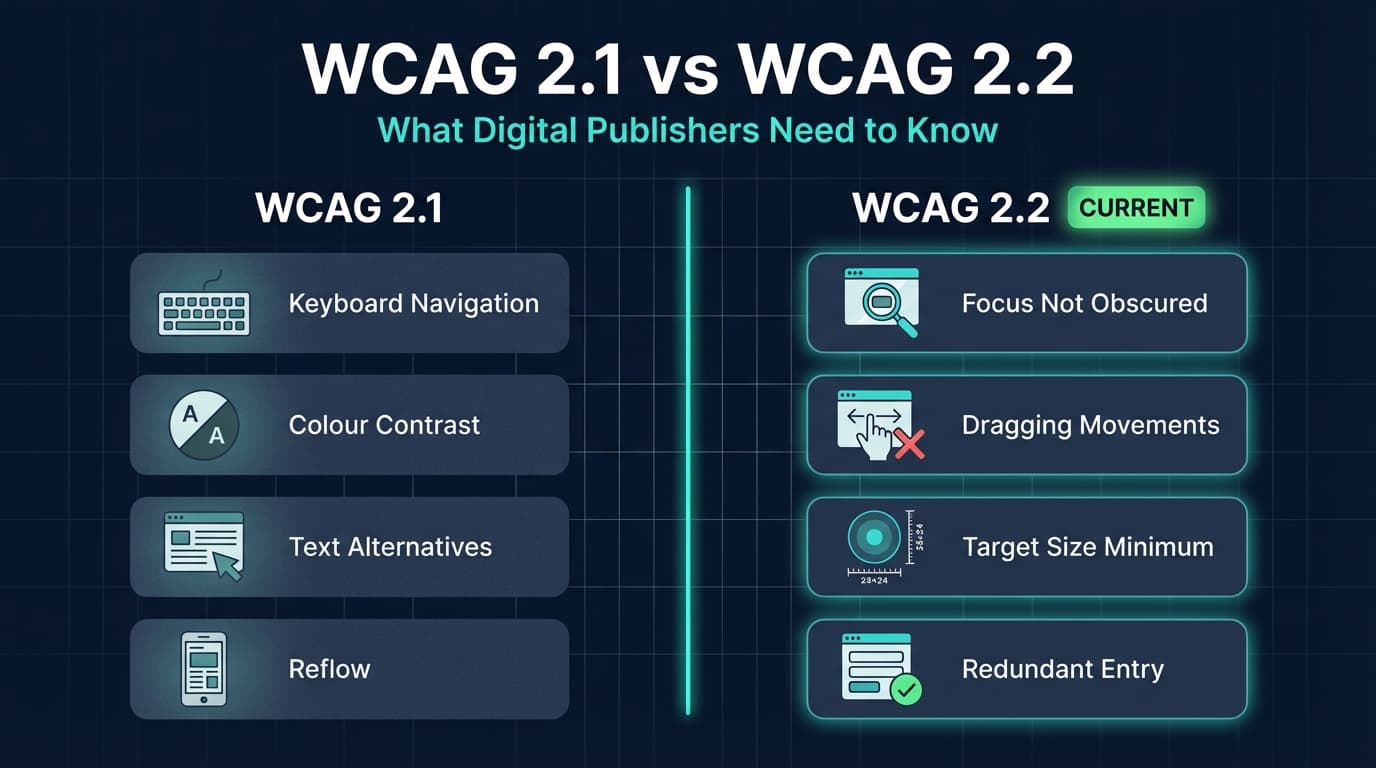
WCAG 2.2 introduced nine new success criteria that affect how digital content is built and published. Here is what changed from 2.1, and which updates matter most for publishers.
Written By: Jagadish C U (Founder Of Zentrovia Solutions)
WCAG 2.1 vs 2.2 for Publishers: What Changed and What It Means for Your Content
If you publish content digitally - whether that is a flipbook, a brochure, a catalogue, or a report - the Web Content Accessibility Guidelines apply to you. This guide breaks down the new WCAG 2.2 success criteria, explains which ones matter most for digital publishers, and covers how ZenFlip already addresses many of them in its viewer by default.
What is WCAG 2.2?
WCAG - the Web Content Accessibility Guidelines - is published by the W3C Web Accessibility Initiative and sets the global benchmark for digital accessibility standards. The guidelines are built around four principles: content must be perceivable, operable, understandable, and robust.
WCAG 2.2 is the current version, superseding WCAG 2.1. It introduced nine new success criteria, removed one, and left all existing 2.1 criteria in place. This means WCAG 2.2 is fully backward compatible - anything that met WCAG 2.1 still satisfies the baseline, with the new criteria added on top.
For publishers focused on ADA compliance for digital content, the European Accessibility Act, or Section 508, WCAG 2.2 AA is the level to target.
Watch: How to Make Your PDF Flipbooks Accessible | ZenFlip Tutorial
What Changed Between WCAG 2.1 and 2.2
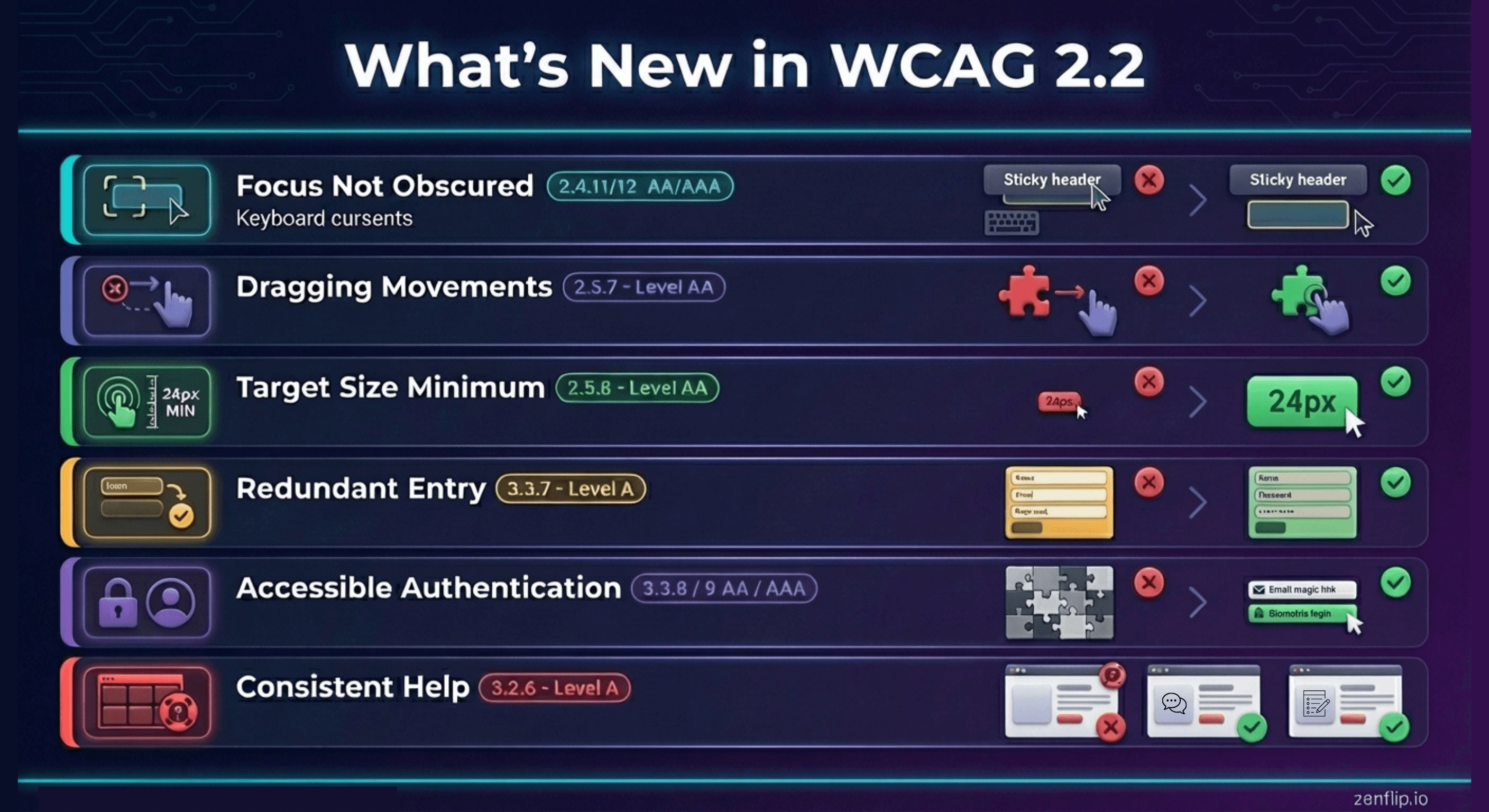
Focus Not Obscured (2.4.11 and 2.4.12)
One of the most practical new WCAG 2.2 requirements for interface design is Focus Not Obscured. At Level AA (2.4.11), the rule is that when a user navigates to an element using a keyboard, the focused component must not be completely hidden behind other content - such as a sticky header, a fixed footer, or a modal overlay.
The enhanced version at Level AAA (2.4.12) goes further and requires the focused element to be fully visible.
For digital publishers, this matters most if your publication viewer or surrounding interface uses sticky navigation bars or persistent overlays. ZenFlip's viewer manages focus correctly when overlays open and close, and visible focus indicators appear on all interactive elements.
Dragging Movements (2.5.7)
The new Dragging Movements criterion at Level AA requires that any action which uses a dragging gesture - such as a slider, a sortable list, or a drag-to-scroll interface - must also be achievable through a single pointer action without dragging.
This criterion exists to support users with motor impairments who may find sustained dragging difficult. For publishers, if your flipbook platform relies on dragging for any core interaction, an alternative method must be available.
Target Size Minimum (2.5.8)
WCAG 2.2 added Target Size Minimum at Level AA, requiring interactive targets - buttons, links, controls - to be at least 24 by 24 CSS pixels, with some exceptions.
This is a lower bar than the 44 by 44 pixel target recommended in WCAG 2.5.5 (Level AAA), but it is now a formal requirement at the compliance level most publishers and legislation point to. ZenFlip's accessibility statement confirms that touch targets meet a minimum of 24 by 24 CSS pixels, with primary actions meeting 44 by 44.
Redundant Entry (3.3.7)
Redundant Entry is a new Level A criterion that prevents digital products from asking users to re-enter information they have already provided in the same session - unless re-entering it is essential, required for security, or the information is no longer valid.
For publishers, this is less likely to affect the reading experience directly. It is more relevant if your platform involves forms, lead capture, or account creation workflows.
Accessible Authentication (3.3.8 and 3.3.9)
WCAG 2.2 added two new criteria around authentication. At Level AA (3.3.8), users should not be required to solve a cognitive function test - such as a puzzle or a memory-based CAPTCHA - to complete authentication, unless an alternative method is available.
This is particularly relevant for publishers who use gated content or require readers to log in before accessing a flipbook.
Consistent Help (3.2.6)
If a web product offers help mechanisms - such as a contact number, a chat link, or a support form - these must appear in a consistent location across pages. This is a Level A criterion in WCAG 2.2.
Watch: Three Ways To Read On Zenflip
What Was Removed in WCAG 2.2
WCAG 2.2 removed one criterion from the previous version: 4.1.1 Parsing. This criterion required HTML to be well-formed and free of duplicate attributes and unclosed tags. The W3C removed it because modern browsers have become reliable enough at handling malformed HTML that the criterion no longer provides meaningful accessibility benefit.
This removal does not reduce overall accessibility standards - it reflects the evolution of the technical landscape.
Which Criteria Matter Most for Digital Publishers
For publishers specifically, the most directly relevant new additions in WCAG 2.2 are:
- Focus Not Obscured - affects flipbook viewer interfaces with sticky or overlay elements
- Target Size Minimum - affects interactive controls in the viewer on mobile and tablet
- Dragging Movements - affects any gesture-based navigation in the viewer
- Redundant Entry - affects lead capture and gated content flows
The criteria around authentication and consistent help are more platform-level concerns. If you are publishing through a third-party platform such as ZenFlip, many of these are handled by the platform itself.
Read: Your Complete Guide to Accessible Digital Publications in 2026
Why Accessible Publishing Compliance Matters in 2026
The legal landscape around digital accessibility has changed significantly. In the United States, ADA Title II enforcement for state and local government entities with populations over 50,000 began in April 2026, referencing WCAG 2.1 AA as the minimum standard. The European Accessibility Act came into effect in June 2025. Section 508 continues to apply to federal agencies and their contractors.
For private publishers, these regulations set the direction of travel clearly. The new WCAG 2.2 requirements reflect real user needs, and meeting them reduces risk while extending your content's reach.
Read: Screen Reader Compatible Flipbooks: What Publishers Need to Get Right in 2026
How ZenFlip Addresses WCAG 2.2
ZenFlip targets WCAG 2.2 AA conformance across its viewer, marketing site, dashboard, and embedded interfaces.
Key features relevant to the WCAG 2.1 vs 2.2 comparison include:
- Full keyboard navigation with logical tab order and documented shortcuts
- Visible focus indicators on all interactive elements
- ARIA landmarks, live regions, and labels throughout the viewer
- Touch targets meeting the 24 by 24 CSS pixel minimum (44 by 44 for primary actions)
- Colour contrast meeting the 4.5:1 and 3:1 WCAG AA requirements for text and UI
- Screen reader support through semantic HTML5 and ARIA implementation
- Accessible flipbooks enabled through ImmersiveReader, OpenDyslexic font support, and text-to-speech with word highlighting
Publishers using ZenFlip to produce accessible flipbooks benefit from a viewer layer that handles much of the platform-side compliance, allowing you to focus on the content itself - structure, alt text, colour contrast, and language.
Watch: How to Publish Your First Flipbook on ZenFlip | PDF to Flipbook Tutorial
Explore More on ZenFlip

Looking for more insights on digital publishing, accessibility, sports, technology and more? The ZenFlip Library has you covered. Browse our full collection of free interactive magazines.
Every topic. One place. Read free at ZenFlip | Library
Frequently Asked Questions:
What is WCAG 2.2 and how does it relate to WCAG 2.1?
WCAG 2.2 is the current version of the Web Content Accessibility Guidelines, superseding WCAG 2.1. It introduced nine new success criteria, removed one, and left all existing 2.1 criteria in place.
What does the Focus Not Obscured criterion require?
At Level AA, SC 2.4.11 requires that when a user navigates to an element using a keyboard, the focused component must not be completely hidden behind other content such as a sticky header, a fixed footer, or a modal overlay. The enhanced version at Level AAA goes further and requires the focused element to be fully visible. For digital publishers, this matters most if your publication viewer uses sticky navigation bars or persistent overlays.
What does the Dragging Movements criterion require?
SC 2.5.7 at Level AA requires that any action which uses a dragging gesture must also be achievable through a single pointer action without dragging. This criterion exists to support users with motor impairments who may find sustained dragging difficult. For publishers, if your flipbook platform relies on dragging for any core interaction, an alternative method must be available.
What is the Target Size Minimum requirement in WCAG 2.2?
WCAG 2.2 added Target Size Minimum at Level AA, requiring interactive targets — buttons, links, controls — to be at least 24 by 24 CSS pixels, with some exceptions. This is a lower bar than the 44 by 44 pixel target recommended in WCAG 2.5.5 at Level AAA, but it is now a formal requirement at the compliance level most publishers and legislation point to. ZenFlip's accessibility statement confirms that touch targets meet a minimum of 24 by 24 CSS pixels, with primary actions meeting 44 by 44.
What is the Redundant Entry criterion and who does it affect?
Redundant Entry is a new Level A criterion that prevents digital products from asking users to re-enter information they have already provided in the same session, unless re-entering it is essential, required for security, or the information is no longer valid. For publishers, this is less likely to affect the reading experience directly. It is more relevant if your platform involves forms, lead capture, or account creation workflows.
What did WCAG 2.2 remove and why?
WCAG 2.2 removed one criterion from the previous version: 4.1.1 Parsing, which required HTML to be well-formed and free of duplicate attributes and unclosed tags. The W3C removed it because modern browsers have become reliable enough at handling malformed HTML that the criterion no longer provides meaningful accessibility benefit. This removal does not reduce overall accessibility standards — it reflects the evolution of the technical landscape.
Why does accessible publishing compliance matter in 2026?
In the United States, ADA Title II enforcement for state and local government entities with populations over 50,000 began in April 2026, referencing WCAG 2.1 AA as the minimum standard. The European Accessibility Act came into effect in June 2025, and Section 508 continues to apply to federal agencies and their contractors. The new WCAG 2.2 requirements reflect real user needs, and meeting them reduces risk while extending your content's reach.
How does ZenFlip address WCAG 2.2 requirements?
ZenFlip targets WCAG 2.2 AA conformance across its viewer, marketing site, dashboard, and embedded interfaces. Key features include full keyboard navigation with logical tab order, visible focus indicators, ARIA landmarks and live regions, touch targets meeting the 24 by 24 CSS pixel minimum, and colour contrast meeting the 4.5:1 and 3:1 WCAG AA requirements. Accessible flipbooks are also enabled through ImmersiveReader, OpenDyslexic font support, and text-to-speech with word highlighting.
Read: ARIA Live Regions in Flipbooks: Making Accessible Dynamic Content Work for WCAG
#WCAG22 #DigitalAccessibility #AccessiblePublishing #WCAG2022 #WebAccessibility #ADACompliance #InclusiveDesign #AccessibilityStandards #DigitalPublishing #AccessibleFlipbooks
Turn your next PDF into a flipbook — free
No credit card, no watermarks, no time limits. 5 publications on the free plan — ready in under 2 minutes.