Text-to-Speech in Digital Publications: How Word-by-Word Highlighting Improves Comprehension (WCAG Compliance)
Text-to-speech word highlighting synchronizes audio with on-screen text so readers follow along word by word. Learn how it works, who benefits, and how WCAG 2.2 guides its implementation in digital publications.
Written By: Jagadish C U (Founder Of Zentrovia Solutions)
Text-to-Speech Word Highlighting: A Guide to Accessible Digital Publishing
Text-to-speech word highlighting is one of the most effective assistive reading features available in digital publishing today. It synchronizes spoken audio with on-screen text, highlighting each word as it is read aloud so that readers can follow along visually and audibly at the same time. This audio-visual synchronization is not just a convenience feature - it is a fundamental part of inclusive digital publishing and a practice supported by WCAG 2.2 accessibility guidelines.
This guide explains how text-to-speech word highlighting works, who it helps, what WCAG 2.2 says about it, and how platforms like ZenFlip integrate these features into digital publications by default.
What Is Text-to-Speech Word Highlighting?
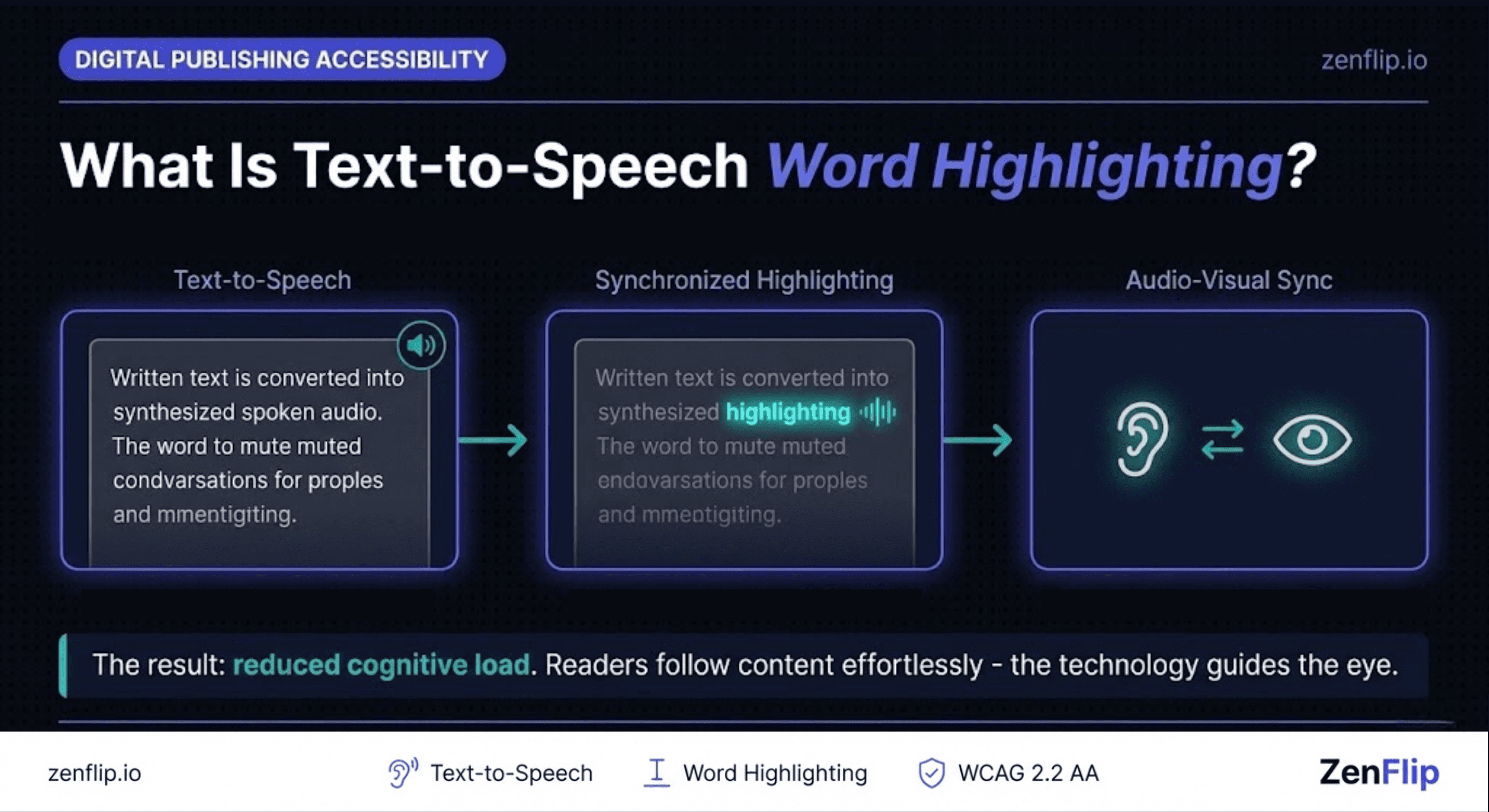
Text-to-speech (TTS) converts written text into synthesized spoken audio. Word highlighting - sometimes called synchronized word highlighting - adds a visual layer on top: as each word is spoken, it is highlighted on screen, so the reader sees and hears the word simultaneously.
This combination is what makes it distinct from basic TTS. Without highlighting, TTS plays audio while the reader must track their own position in the text. With synchronized word highlighting, the technology does that work, guiding the eye through the content word by word in real time.
The result is a reading mode that reduces cognitive load: readers do not need to split attention between listening and tracking. The audio and visual channels reinforce each other, which is the foundation of audio-visual synchronization as an assistive reading technology.
Watch: How to Make Your PDF Flipbooks Accessible | ZenFlip Tutorial
Who Benefits from Synchronized Word Highlighting?
Text-to-speech word highlighting is classified as assistive reading technology, but its benefits extend beyond any single group of users.
People with dyslexia. Dyslexia affects how the brain processes written language. Synchronized word highlighting provides a visual anchor that helps readers maintain their place in a line of text, reducing the re-reading loops that slow comprehension.
People with aphasia. Research published in the journal Aphasiology found that participants with aphasia preferred synchronized single-word or sentence highlighting over reading without highlighting when using TTS. The study found that synchronized highlighting may improve attention to text during the reading process, supporting working memory and comprehension.
Non-native language readers. Hearing a word pronounced while seeing it on screen reinforces recognition and pronunciation, which is especially valuable when readers encounter unfamiliar vocabulary.
People with attention difficulties. The moving highlight acts as a visual guide that helps readers maintain focus and prevents the mind from drifting mid-paragraph.
All readers in certain contexts. Anyone listening while multitasking, reading in a noisy environment, or reviewing dense technical content can benefit from having audio and text aligned. Inclusive digital publishing features rarely serve only one group.
Read: Your Complete Guide to Accessible Digital Publications in 2026
WCAG 2.2 Compliance and Text-to-Speech Features
WCAG 2.2, published by the W3C in October 2023, is the current international standard for digital accessibility. It is structured around four principles: perceivable, operable, understandable, and robust.
Text-to-speech word highlighting relates most directly to the Perceivable principle. WCAG 2.2 Guideline 1.1 requires text alternatives for non-text content, and Guideline 1.2 covers time-based media and synchronized alternatives. While WCAG does not mandate that publishers add TTS features to their content, it does require that platforms handle audio-visual synchronization correctly when those features are present, and that all interactive controls be fully keyboard accessible.
The W3C also publishes the Synchronization Accessibility User Requirements (SAUR) document, which outlines accessibility-related user needs for the synchronization of audio and visual media. This framework applies directly to TTS reading modes in digital publications.
WCAG 2.2 Requirements for TTS Controls
When a digital publication includes a text-to-speech mode, WCAG 2.2 requires the following:
All TTS controls - play, pause, speed adjustment, and navigation - must be fully keyboard accessible (Success Criterion 2.1.1)
Focus indicators must be visible on all interactive TTS controls (Success Criterion 2.4.7 and 2.4.11)
Audio controls must not auto-play without user intent (Success Criterion 1.4.2)
If TTS includes a visual highlight, the highlight must meet colour contrast requirements against the background (Success Criterion 1.4.3)
How ZenFlip Supports Text-to-Speech Word Highlighting

ZenFlip is a digital publishing platform built for WCAG 2.2 AA compliance by default. ZenFlip includes a built-in text-to-speech mode accessible via keyboard shortcuts, and an Immersive Reader mode that provides a distraction-reduced reading environment with synchronized word-by-word highlighting.
Watch: How to Publish Your First Flipbook on ZenFlip | PDF to Flipbook Tutorial
What Publishers Are Responsible For:
ZenFlip handles the platform layer. The content inside a publication - the PDF that is uploaded - determines how well TTS performs in practice.
Logical reading order. TTS reads content in the order it appears in the document source. Multi-column layouts and complex designs can produce a confusing listening experience if the underlying document is structured incorrectly. Use authoring tools that produce tagged PDFs with a clear reading sequence.
Actual text, not images of text. TTS cannot read text embedded inside images. If your PDF contains scanned pages or text rendered as graphics, TTS will skip those sections entirely. All meaningful text must be real, selectable text in the source document.
Clear language. Synchronized word highlighting helps readers track text, but it cannot compensate for unclear writing. Plain language, short sentences, and defined abbreviations all contribute to comprehension for TTS users.
Descriptive alt text. Images in your publication should have alt text that a screen reader or TTS system can read aloud to describe what the image conveys. A caption below an image is not a substitute - alt text must be embedded in the document structure.
Summary
Text-to-speech word highlighting synchronizes spoken audio with on-screen text so that each word is highlighted as it is read aloud. This audio-visual synchronization supports reading comprehension for people with dyslexia, aphasia, attention difficulties, and anyone learning in a second language - and it benefits all readers in the right context.
WCAG 2.2 does not mandate TTS features in digital publications, but it requires that when those features exist, they meet full keyboard accessibility, visible focus, and contrast standards. Platforms that build to WCAG 2.2 AA compliance handle this layer for publishers.
ZenFlip builds text-to-speech word highlighting and Immersive Reader into every publication by default. Publishers upload their PDF, and every reader immediately has access to a fully accessible, keyboard-navigable TTS reading mode - no configuration required.
Explore More on ZenFlip
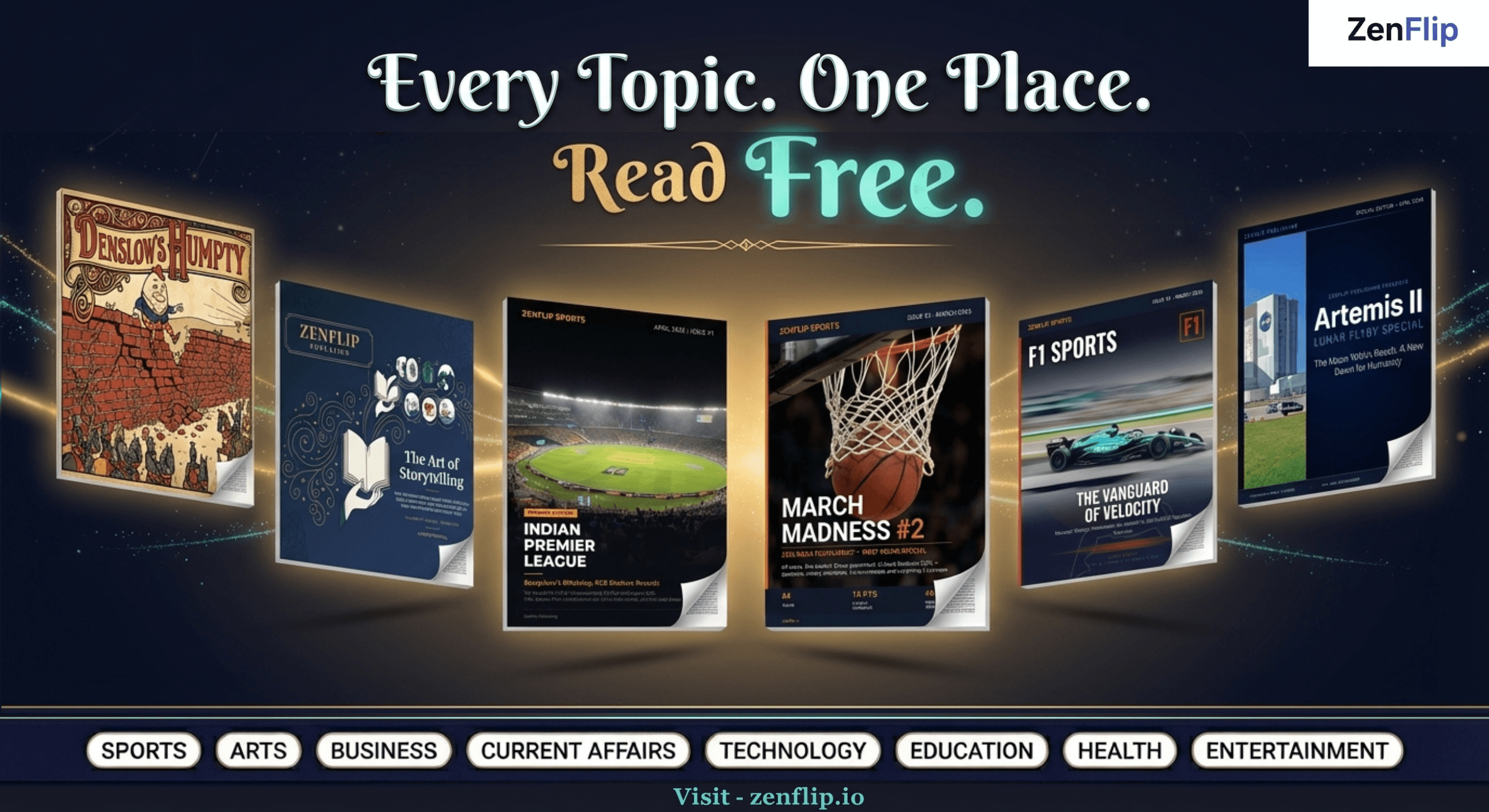
Looking for more insights on digital publishing, accessibility, sports, technology and more? The ZenFlip Library has you covered. Browse our full collection of free interactive magazines.
Every topic. One place. Read free at ZenFlip | Library
Frequently Asked Questions:
What is text-to-speech word highlighting?
Text-to-speech converts written text into synthesized spoken audio, and word highlighting adds a visual layer on top — as each word is spoken, it is highlighted on screen so the reader sees and hears the word simultaneously. Without highlighting, TTS plays audio while the reader must track their own position in the text. With synchronized word highlighting, the technology does that work, guiding the eye through the content word by word in real time.
How does synchronized word highlighting reduce cognitive load?
Synchronized word highlighting means readers do not need to split attention between listening and tracking. The audio and visual channels reinforce each other, which is the foundation of audio-visual synchronization as an assistive reading technology. The result is a reading mode where the technology guides the eye through content rather than the reader managing both channels independently.
How does synchronized word highlighting help people with dyslexia?
Dyslexia affects how the brain processes written language. Synchronized word highlighting provides a visual anchor that helps readers maintain their place in a line of text. This reduces the re-reading loops that slow comprehension.
How does it help people with aphasia?
Research published in the journal Aphasiology found that participants with aphasia preferred synchronized single-word or sentence highlighting over reading without highlighting when using TTS. The study found that synchronized highlighting may improve attention to text during the reading process. It also supports working memory and comprehension.
Does WCAG 2.2 require publishers to add TTS to their content?
WCAG 2.2 does not mandate that publishers add TTS features to their content. However, it does require that platforms handle audio-visual synchronization correctly when those features are present, and that all interactive controls be fully keyboard accessible. When a TTS mode exists, it must meet full keyboard accessibility, visible focus, and contrast standards.
What WCAG 2.2 requirements apply to TTS controls?
All TTS controls — play, pause, speed adjustment, and navigation — must be fully keyboard accessible under SC 2.1.1. Focus indicators must be visible on all interactive TTS controls under SC 2.4.7 and 2.4.11. Audio controls must not auto-play without user intent under SC 1.4.2, and any visual highlight must meet colour contrast requirements under SC 1.4.3.
What are publishers responsible for when using a TTS-enabled platform?
TTS reads content in the order it appears in the document source, so publishers must use authoring tools that produce tagged PDFs with a clear reading sequence. TTS cannot read text embedded inside images, meaning all meaningful text must be real, selectable text in the source document. Images should also have alt text embedded in the document structure, as a caption below an image is not a substitute.
How does ZenFlip support text-to-speech word highlighting?
ZenFlip includes a built-in text-to-speech mode accessible via keyboard shortcuts, and an Immersive Reader mode that provides a distraction-reduced reading environment with synchronized word-by-word highlighting. Publishers upload their PDF and every reader immediately has access to a fully accessible, keyboard-navigable TTS reading mode with no configuration required.
#TextToSpeech #DigitalPublishing #WordHighlighting #WCAG22 #DigitalAccessibility #InclusiveDesign #AssistiveTechnology #FlipbookSoftware #AccessibleContent #ZenFlip
Turn your next PDF into a flipbook — free
No credit card, no watermarks, no time limits. 5 publications on the free plan — ready in under 2 minutes.